
Is vidIQ Worth It in 2026? An Honest Verdict
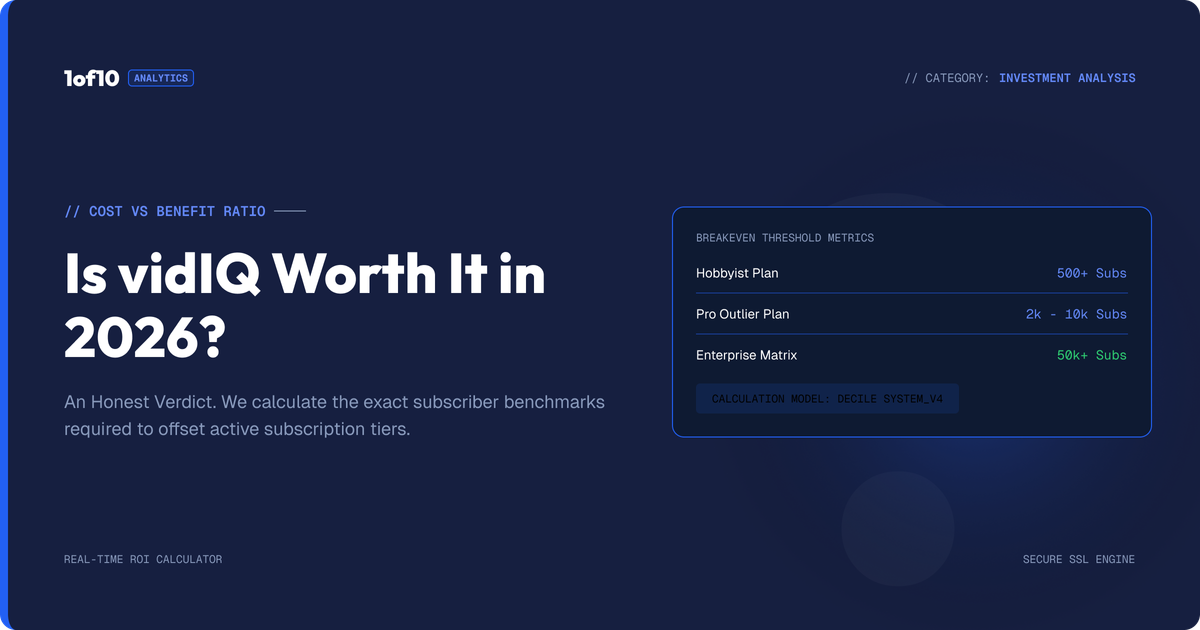
Is vidIQ worth it? Yes for search-driven channels at $199/yr, no for browse-driven ones. The decision framework, break-even math, and when to skip it.
Quick disclosure: 1of10 competes with vidIQ. The framework below is built so you can run it yourself and ignore our conclusion if your numbers disagree.
vidIQ is worth it for search-driven channels and not worth it for browse-driven ones, and everything else about the decision follows from that split. So the real question behind "is vidIQ worth it" is not about vidIQ at all. It is about where your views come from. At $199 per year for Boost on annual billing, vidIQ pays for itself when better keyword targeting lifts your search traffic, and it struggles to pay for itself any other way.
That is the 60-second version. The rest of this post is the decision framework: how to check which type of channel you run, what $199 must earn back in views before it breaks even, the 3 points where vidIQ stops being worth it, and what to use instead if the framework says skip it.
This post is the decision logic. The price facts, every plan, credit limit, and hidden cost, live in our vidIQ pricing breakdown, and the full hands-on product test lives in our vidIQ review, where it scored 6.4/10.
Suggested hero image: is-vidiq-worth-it-decision-tree.png, alt: "Is vidIQ worth it decision tree by channel traffic source and size"
Is vidIQ Worth It? The Short Answer
vidIQ is worth $199 per year if YouTube search and Google search drive a meaningful share of your views: tutorials, how-to content, software walkthroughs, product reviews, finance explainers. Its keyword engine is the best in the category and scored 8/10 in our testing. For entertainment, vlogs, gaming, and any channel that grows on browse and suggested traffic, vidIQ is weak exactly where those channels need help, idea selection and packaging, and the answer flips to no.
Three numbers frame the whole decision:
- $199 per year. The real price of Boost on annual billing. Ignore the $39 monthly rate, which totals $468 per year for the same software.
- 8/10 versus 5/10. Our review scores for vidIQ's research versus its packaging tools. You are buying the 8, not the 5.
- Your browse percentage. Open YouTube Studio, go to Reach, check your traffic sources. This one number decides more than any review can.
What Are You Actually Buying?
Before the framework, be clear on what the $199 buys, because "vidIQ" means different things to different buyers.
The paid product is, in order of quality:
- Keyword and trend research. Search volume, competition scores, rising queries. Genuinely best in class.
- The extension overlay. Stats on every YouTube page you visit. Strong, though the core of it is free.
- Education. Masterclasses and live streams that would cost real money as courses.
- AI tools. Title, description, and thumbnail generation plus the AI Coach, all metered by 2,000 monthly credits. Serviceable, generic, and the weakest part of the bundle.
Notice what is missing: nothing in vidIQ tells you how a specific video idea actually performed against its channel's baseline. It measures what people search, not what people click. That gap defines who the tool serves.
The Decision Framework: Is vidIQ Worth It for Your Channel?
Run your channel through the 4 profiles below. Each one ends in a yes or a no, not a maybe.
Search-driven channels: yes
If more than roughly a third of your views come from YouTube search and Google, vidIQ is worth it. This covers tutorials, how-to, repair, software, cooking technique, personal finance explainers, and most B2B content.
Why the math works for you:
- Search traffic is keyword-addressable. Better targeting directly produces more impressions.
- Search views compound. A video that ranks keeps earning for years, so one winning keyword pick can repay the $199 many times over.
- vidIQ's best feature, the keyword engine, is the exact tool your growth depends on.
Buy Boost on annual billing, lean on keyword research and rising-query alerts, and treat the AI Coach as a bonus you ignore.
Browse-driven channels: no
If most of your views come from browse features and suggested videos, which is the majority of entertainment, gaming, vlog, commentary, and story-driven channels, vidIQ is not worth $199 per year.
Browse traffic is not keyword-addressable. YouTube decides who sees your thumbnail based on predicted click and watch behavior, not tags or descriptions. We broke down that distribution in how the YouTube algorithm works. For these channels the growth levers are idea selection and packaging, and packaging is where vidIQ scored 5/10 in our testing. Your click-through rate moves on thumbnails and framing, not keyword scores.
A browse-driven channel paying for vidIQ is buying a best-in-class answer to a question it is not asking.
Channels under 1,000 subscribers: free plan only
Under 1,000 subscribers, do not pay for anything yet, vidIQ included. At this stage you have no traffic-source data worth reading, no baseline to optimize against, and $199 buys you dashboards instead of reps.
What actually helps at this size:
- vidIQ's free extension for ambient stats exposure. Keep it, it costs nothing.
- Free research: 1of10's free plan shows you outlier videos in your niche, which teaches idea selection faster than any keyword score.
- Publishing volume. Your first 30 to 50 videos are the tool.
The honest answer for small channels is that no subscription is worth it before the channel produces enough data to act on. Tools amplify a workflow. They do not create one.
Shorts-first channels: no
Shorts channels are the extreme case of the browse rule. Shorts distribution runs almost entirely on the Shorts feed, where the algorithm tests each clip against audience retention and swipe behavior. Search volume, tags, and keyword scores have close to zero influence on whether a Short gets pushed.
What actually moves Shorts performance:
- The first 2 seconds of the clip, which decide the swipe
- Format selection, meaning which proven Short structure you are executing
- Posting volume and consistency
None of those are keyword problems, so a keyword subscription is the wrong spend. If you want research for Shorts, study which Shorts formats are currently outperforming in your niche and reverse-engineer them. That is performance data, not search data, and it is the one place where paying for research can make sense for a Shorts channel.
Channels at 10,000+ subscribers and teams: depends on the mix
At 10,000 subscribers and beyond, you know your traffic mix, so apply the search-versus-browse split above with real numbers. Two additions at this scale:
- Established channels outgrow it. Past 50+ published videos, vidIQ's suggestions start echoing what you already know about your niche. Long-term users describe this plateau consistently in reviews. If you have felt it, the renewal is the moment to act on it.
- Teams and agencies: the calculus shifts from insight to workflow. vidIQ's Enterprise tier handles multi-channel access and reporting, but if your bottleneck is bulk operations across big back catalogs, TubeBuddy solves that specific job better, and if it is idea research at scale, an outlier database does. Price the job, not the brand.
Suggested image: vidiq-worth-it-by-channel-type.png, alt: "Table showing whether vidIQ is worth it by channel type and subscriber size"
How to Check Whether Your Channel Is Search-Driven or Browse-Driven
Your traffic-source split is the single input that decides this purchase, and it takes 5 minutes to read. YouTube Studio reports exactly where your views come from: search, browse features, suggested videos, external, and more. If YouTube search plus Google accounts for a third or more of your views, you run a search-driven channel and vidIQ clears its bar.
The steps:
- Open YouTube Studio and go to Analytics, then the Reach tab.
- Set the date range to the last 90 days. Shorter windows get skewed by one video's spike.
- Read the "Traffic source types" card. The 3 lines that matter are YouTube search, Browse features, and Suggested videos.
- Add YouTube search to any external Google traffic. That combined number is your search share.
- Repeat for your top 5 videos individually. Channels often have one search workhorse and a browse-driven everything else, and that mix matters more than the average.
How to read the result:
- Search share above 35%: search-driven. vidIQ's keyword engine addresses your actual growth lever.
- Search share 15% to 35%: mixed. Run the break-even math below before paying, and weight it by which videos you plan to make more of.
- Search share under 15%: browse-driven. Keyword tooling is close to noise for you, and your levers are ideas and thumbnails.
One warning on reading the numbers: traffic mix follows content type, not the other way around. If you are about to pivot from tutorials to entertainment, buy for the channel you are becoming, not the one in the rearview.
The Break-Even Math: What $199 Must Earn Back
Strip the decision down to cost per outcome. Boost costs $199 per year. For vidIQ to be worth it, it must cause at least $199 in extra value you would not have captured anyway. Here is what that looks like in views, using standard RPM bands (RPM varies widely by niche; treat these as illustrations, not promises).
| Your niche RPM | Extra views needed per year | Per month |
|---|---|---|
| $2 (gaming, entertainment) | About 100,000 | About 8,300 |
| $5 (mid-range lifestyle, education) | About 40,000 | About 3,300 |
| $15 (finance, B2B, software) | About 13,300 | About 1,100 |
Read that table against your traffic source and the whole verdict clicks into place:
- A finance tutorial channel needs about 1,100 extra search views a month to break even. One video ranking for one decent keyword does that. For this channel, vidIQ is cheap.
- A gaming channel needs about 8,300 extra monthly views from better tags and descriptions, on a channel where tags barely move browse distribution. For this channel, vidIQ is expensive at any price.
Two honest caveats on the math. First, it ignores non-RPM value: sponsorships, product sales, and education, which favor whichever tool actually grows your audience. Second, it assumes you buy annual at $199. On monthly billing the break-even bar sits 135% higher, at $468, which is why our vidIQ pricing breakdown tells everyone to avoid the monthly rate.
When vidIQ Stops Being Worth It
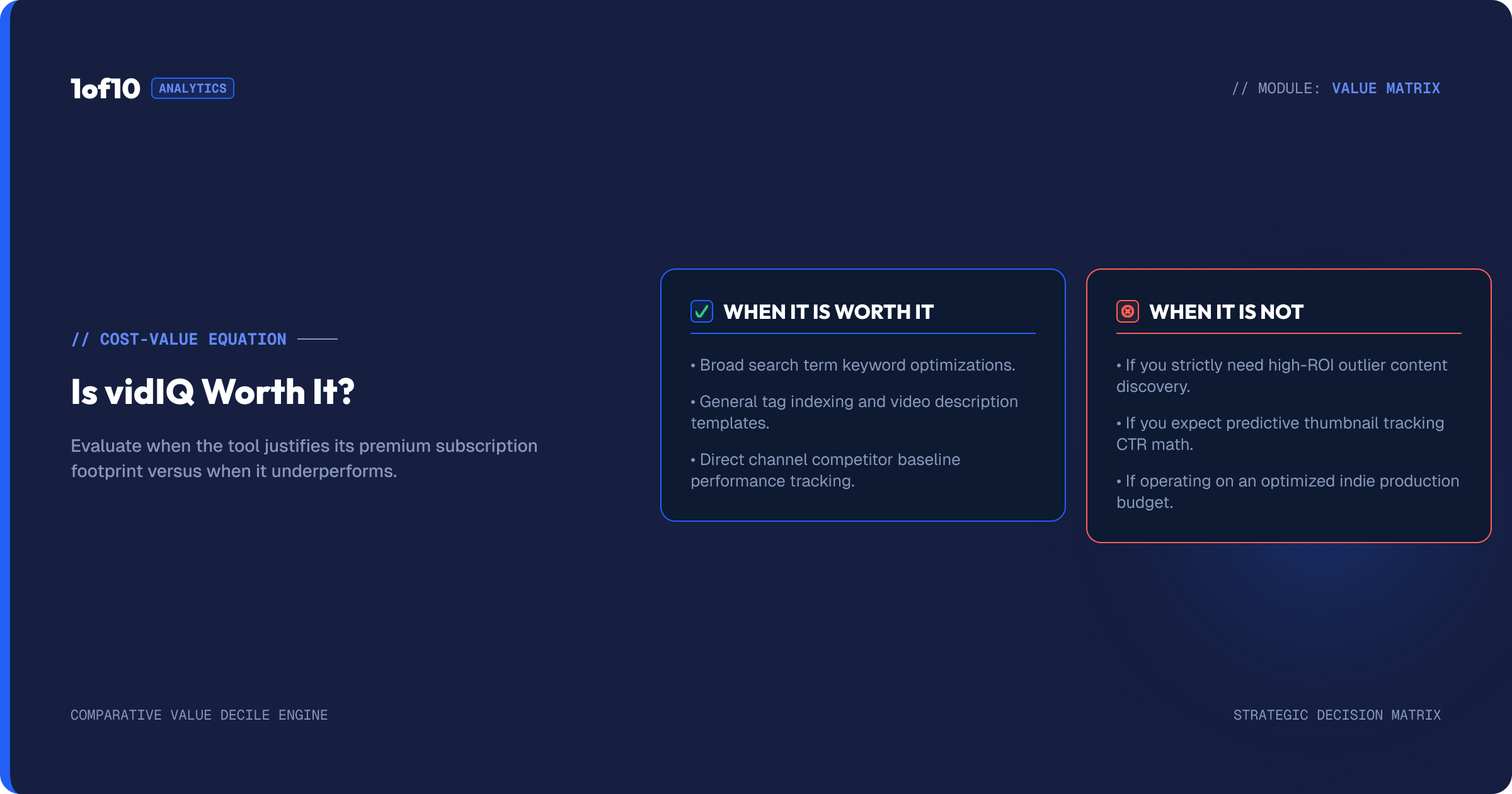
Plenty of creators correctly bought vidIQ and should now correctly cancel it. Three signals, any one of which is enough:
- Your traffic mix flipped. Channels that start in search often graduate to browse as the algorithm learns their audience. If Studio shows browse and suggested overtaking search, the tool that got you here is no longer the tool for the next stage.
- You keep hitting the credit wall. Boost meters AI features at 2,000 credits per month, and heavy users exhaust them early. If vidIQ's answer to your usage is upgrading to Max at $468 per year, re-run the break-even table with the new number before paying it.
- The suggestions stopped surprising you. When Daily Ideas and the AI Coach only confirm what you already know, you have extracted the tool's value. Reviewers on G2 describe this plateau arriving somewhere past the 50-video mark.
Set a calendar reminder one week before your annual renewal. Subscriptions are re-decided, not decided.
What to Use Instead
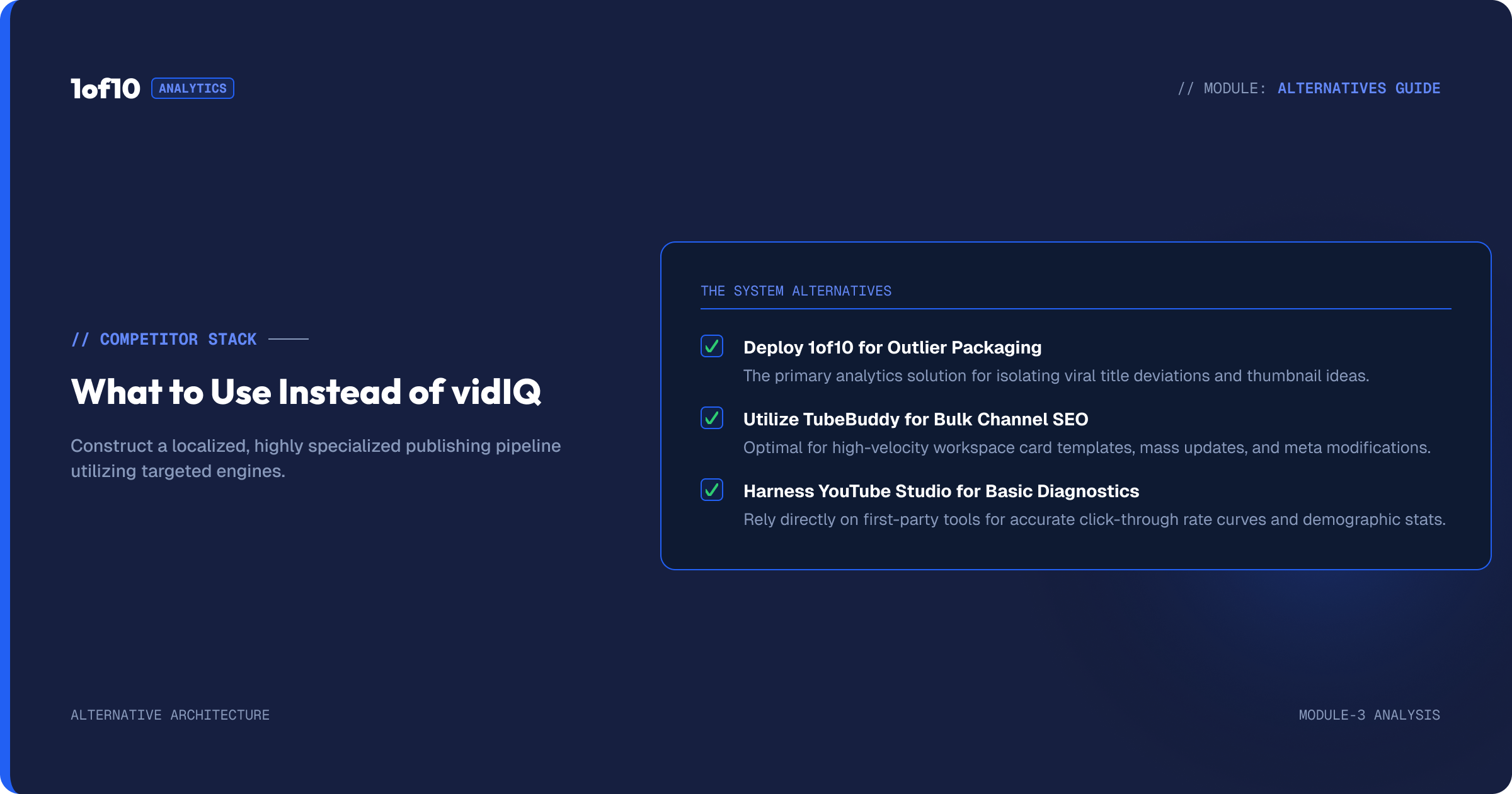
If the framework above said no, two alternatives cover the ground vidIQ misses, and we compare the whole field in best tools to get more views on YouTube. For browse-driven channels, the job is finding proven ideas and packaging them, which is what 1of10 is built for: it scans millions of channels for outlier videos performing 10x to 100x above their channel average, then feeds that performance data into thumbnail, title, and idea generation. Free plan first, $19 per month for Basic, and yes, this is our product, so verify it against the same break-even table before paying us either. For bulk channel operations, end screens, cards, and description edits across hundreds of videos, TubeBuddy is the stronger pick at roughly $32.99 per month for Legend. And for pure keyword research, nothing beats vidIQ itself, which is exactly why the search-driven verdict above is yes. The full feature-by-feature comparison is in 1of10 vs vidIQ.
Suggested image: vidiq-alternatives-by-job.png, alt: "vidIQ alternatives mapped by job: research, packaging, bulk operations"
The Verdict
Worth it: search-driven channels above 1,000 subscribers, buying Boost at $199 per year on annual billing, using it for keyword research and ignoring the AI Coach. That buyer gets the best keyword engine in the category at a fair price, and the break-even math clears easily.
Not worth it: browse-driven channels of any size, channels under 1,000 subscribers, anyone paying the $39 monthly rate long-term, and established creators whose suggestions plateaued. That group is paying a search-tool price for a browse-traffic problem.
Before you decide either way, do the 5-minute check that outranks every review including this one: open YouTube Studio, read your traffic sources, and see whether search or browse feeds your channel. Then look at what is provably working in your niche, the outlier videos doing 10x their channel's average, free, and ask which tool helps you make more of those.
FAQ
Is vidIQ worth it for small channels?
Not before 1,000 subscribers. Small channels lack the traffic data and publishing baseline that make any paid tool useful, and $199 buys dashboards instead of practice. Use vidIQ's free extension for ambient stats, research ideas with free outlier search, and revisit paid tools once your traffic sources show a clear pattern.
Is vidIQ Boost worth it?
Boost at $199 per year on annual billing is worth it for search-driven channels: tutorials, how-to, reviews, and explainers. It is not worth it on monthly billing, which totals $468 per year for identical software. Browse-driven channels get little from it at either price, because keyword targeting barely moves browse distribution.
Is vidIQ better than TubeBuddy?
They win different jobs. vidIQ has the stronger keyword research and trend data. TubeBuddy has the stronger bulk-editing and channel-operations tooling, like mass end-screen and description updates across a back catalog. Neither is built around proven video performance data, which is the gap idea-first tools like 1of10 cover.
Is the free version of vidIQ enough?
For stats-watching, yes. The free extension overlays views per hour, tags, and engagement data on every YouTube page indefinitely. As a growth workflow, no: the free keyword tool returns only a few results per search and 150 monthly AI credits run out fast. Free is a permanent evaluation window, not a working tier.
Does vidIQ actually increase views?
It can, on search traffic specifically. Better keyword targeting genuinely lifts search-driven impressions, and that is where documented wins concentrate. It does not meaningfully lift browse traffic, which YouTube distributes on predicted click and watch behavior rather than metadata. No tool increases views by itself; the workflow around it does.
CTA block: The 5-minute check beats the $199 guess. See which videos in your niche are doing 10x their channel's average, free, at 1of10.com.