
YouTubers Earnings Calculator: Estimate Any Channel (2026)
Use a YouTubers earnings calculator properly: the views x RPM formula, worked examples at $2 to $12 RPM, and why estimates differ 5-10x between tools.
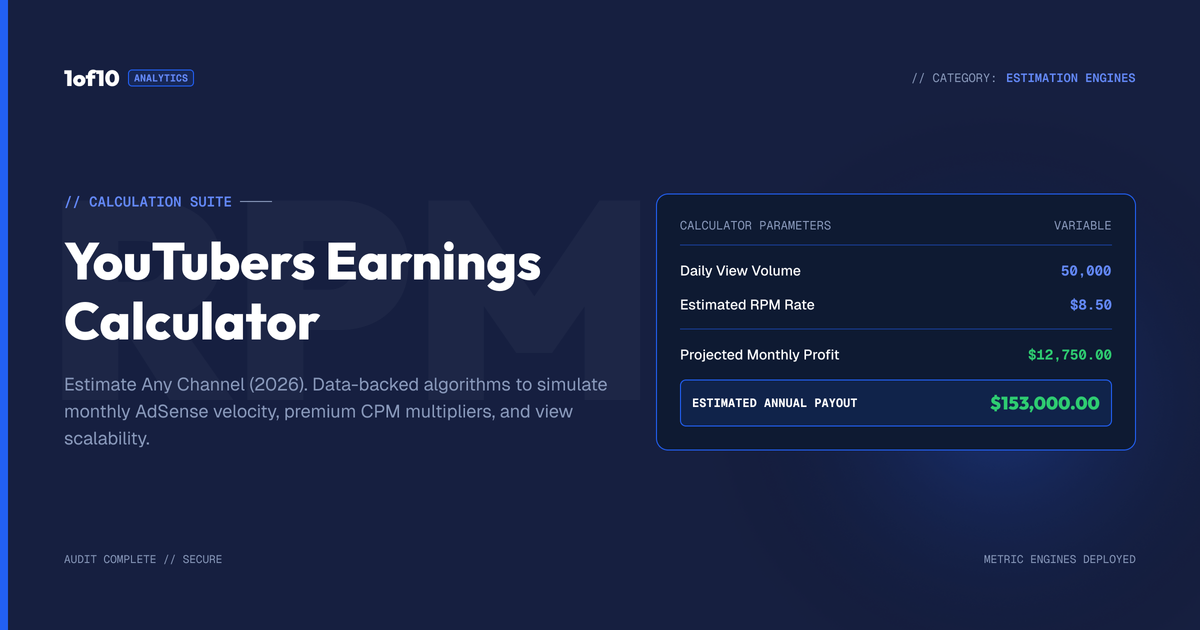
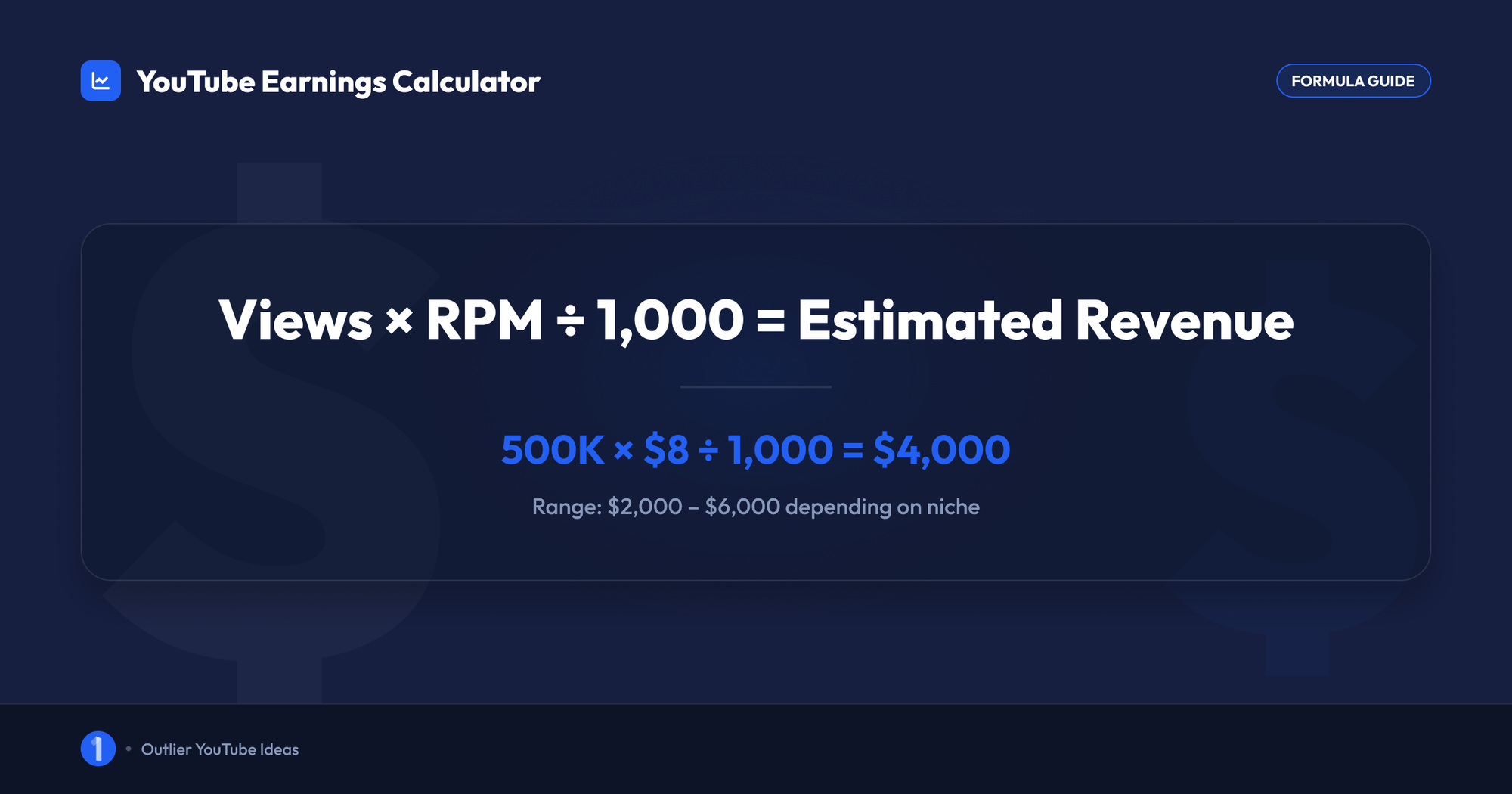
A YouTubers earnings calculator estimates channel revenue with one formula: monthly views multiplied by RPM, divided by 1,000. RPM (revenue per 1,000 views) typically runs $1 to $20 for long-form content, based on ranges creators publicly report. So a channel pulling 500,000 monthly views earns roughly $500 to $10,000 from ads. Everything past that formula is about picking the right RPM.
You can run that math in your head, or you can use our free YouTube money calculator and get a low, typical, and high estimate in about 10 seconds. This guide covers both: how the calculation works, how to estimate any channel's earnings by name, what no calculator can know, and why two tools give you numbers that differ by 5x to 10x for the same channel.
How does a YouTubers earnings calculator work?
Every YouTubers earnings calculator, free or paid, runs the same three-part calculation. It takes a view count, multiplies it by an assumed RPM, and divides by 1,000. The output is an ad revenue estimate. The quality of the estimate depends entirely on how good the RPM assumption is, because views are public and RPM is private.
The three inputs:
- Views. Public on every video and every channel. This is the one input calculators get right.
- RPM. Revenue per 1,000 views, after YouTube's cut. YouTube's official definition includes ads, Premium, memberships, Supers, and Shorts revenue divided by total views. Only the channel owner sees this number.
- The formula. Views x RPM / 1,000 = estimated earnings for that period.
That is the entire engine. A calculator that asks for your niche is really just picking an RPM band for you. A calculator that asks for your country is adjusting that band by geography. There is no secret data source behind any of them.
One important distinction before you run any numbers: RPM is not CPM. CPM is what advertisers pay per 1,000 ad impressions, before YouTube takes its 45% share of long-form ad revenue per the official payment terms. RPM is what lands on your side per 1,000 total views. Tools that quietly swap one for the other produce estimates that are wrong by half or more. We break the two apart fully in how much YouTube pays per view.
Calculate YouTube earnings in 3 steps with the free tool
The fastest way to calculate YouTube earnings is to let the tool do the multiplication and the RPM selection for you. Our YouTube money calculator is free, needs no signup, and returns a range instead of a fake-precise single number.
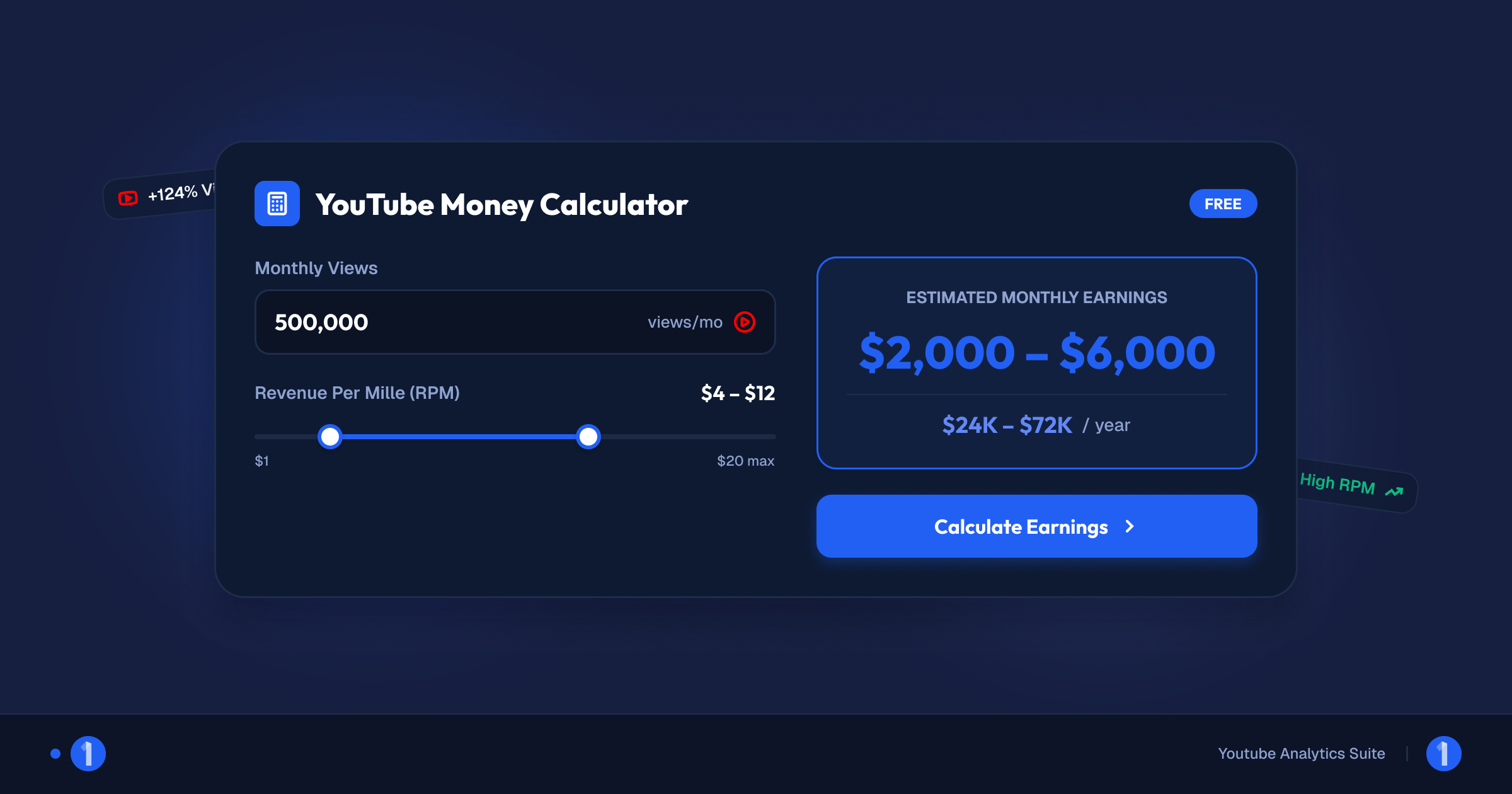
Here is the process:
- Enter the view count. Use monthly views for a channel estimate or a single video's views for a per-video estimate. For a channel, average the last 30 days rather than cherry-picking the best week.
- Set the RPM band for the niche. Finance and business content sits at the top of the range. Gaming, vlogs, and music sit near the bottom. If you are unsure, start at $3 to $5, which covers the broad middle of creator-reported figures.
- Read the range, not the midpoint. The low and high ends are both plausible outcomes. Treat the output as a bracket for planning, not a promise.
A range is the honest output. Any tool that hands you a single dollar figure to the cent is performing confidence it cannot have, because the input it would need, the channel's true RPM, is visible only in that channel's own analytics.
The views x RPM method: worked examples
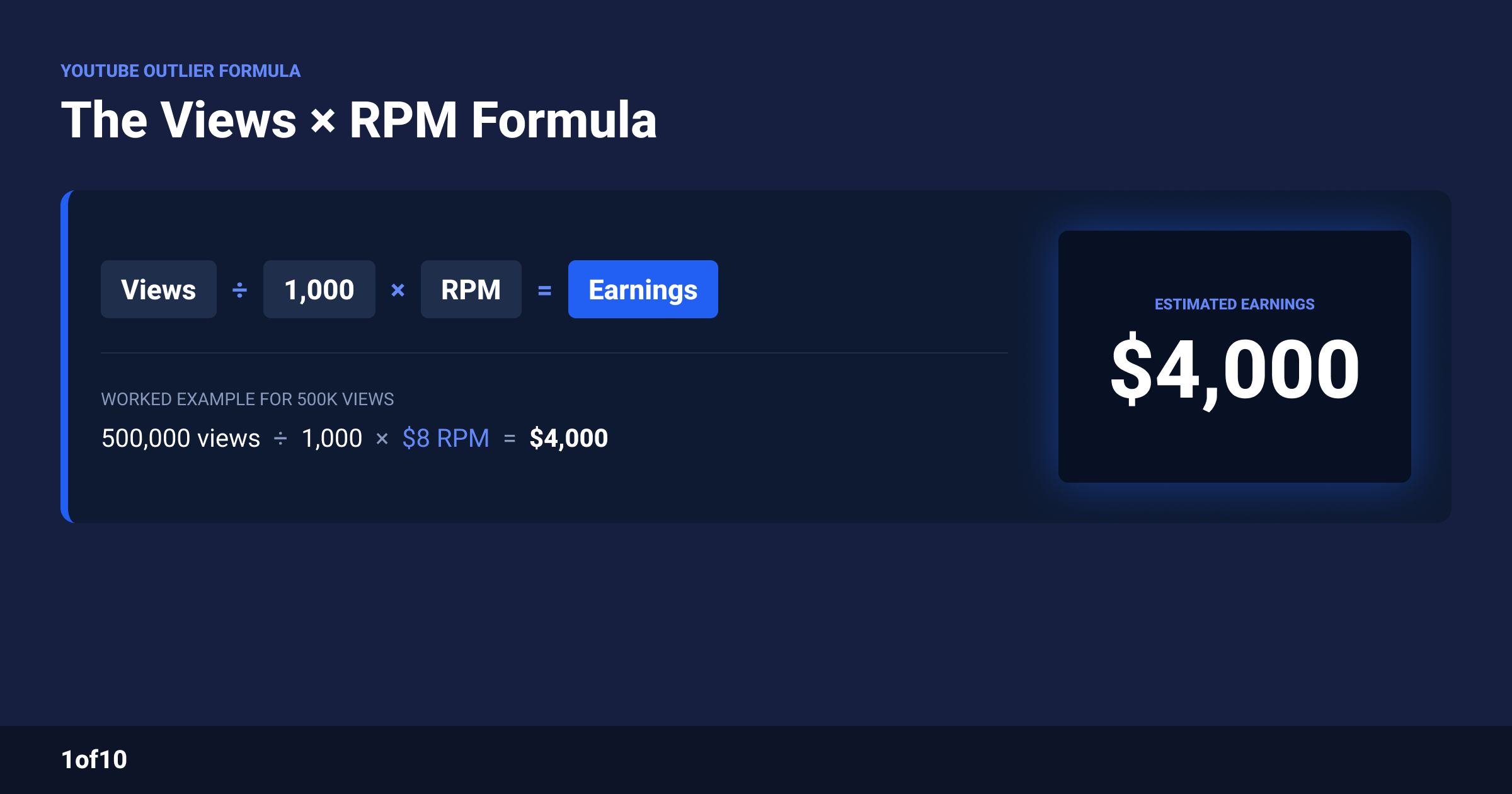
The formula is simple enough that worked examples teach it faster than more explanation. Below is the same set of view counts run at three realistic RPMs. These RPM levels are typical ranges from creator-reported data, not guarantees: $2 covers entertainment and gaming, $5 covers the broad middle, and $12 covers strong finance, business, and tech channels.
| Monthly views | At $2 RPM | At $5 RPM | At $12 RPM |
|---|---|---|---|
| 100,000 | $200 | $500 | $1,200 |
| 500,000 | $1,000 | $2,500 | $6,000 |
| 1,000,000 | $2,000 | $5,000 | $12,000 |
| 5,000,000 | $10,000 | $25,000 | $60,000 |
Read that table horizontally and the biggest lesson in YouTube monetization appears. A million monthly views is worth $2,000 to one channel and $12,000 to another. Same platform, same view count, 6x difference. Niche and audience decide the multiplier, and no amount of extra views changes your lane.
Two notes on using the table:
- These are long-form numbers. Shorts pay from a pooled model at far lower rates, typically fractions of a cent per view. Details in the next section and in our Shorts pay breakdown.
- This is ad revenue only. For most established channels, ads are one income stream of several, and often not the largest one.
For the full rates picture, including RPM tables by niche and by country and what moves the number month to month, see how much YouTube pays per view. This post keeps the summary version so you can get to an estimate fast.
How do you estimate YouTube earnings by channel name?
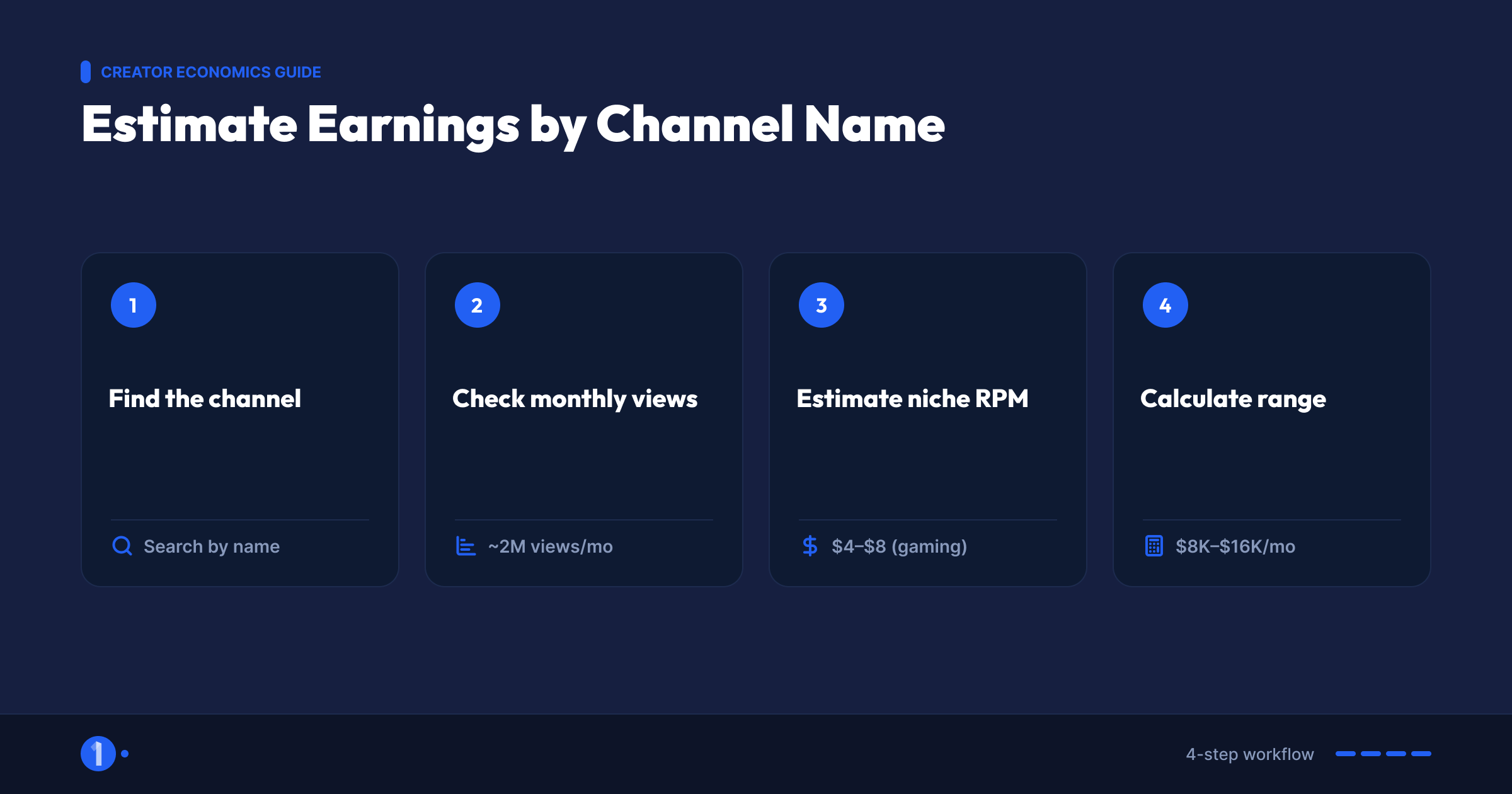
You can build an estimated earnings figure for any YouTube channel using only public data. This is the same method the "by channel name" calculators automate, and doing it manually once shows you exactly how much guesswork is inside them.
The 4-step method:
- Pull the channel's recent views. Public stats sites like Social Blade list 30-day view totals for any channel. You can also open the channel's Videos tab, sum the views on everything posted in the last 30 days, and get close enough.
- Identify the niche and pick an RPM band. A finance channel gets a $10 to $25 band. A gaming channel gets $2 to $5. A general vlog gets $1.50 to $4. These are typical creator-reported ranges, and the bands in our per-view rates guide cover the main niches.
- Separate Shorts from long-form if you can. If half the channel's views come from Shorts, that half earns at Shorts pool rates, not long-form RPM. Skipping this step is the single biggest source of overestimates.
- Run the formula at both ends of the band. 8,000,000 monthly long-form views at $2 to $5 RPM is $16,000 to $40,000 per month in estimated ad revenue.
That bracket is as accurate as any public estimate can get. It will still miss the channel's sponsorship deals, memberships, and product income, which for large channels routinely exceed the AdSense number. An estimated earnings YouTube figure built this way tells you the floor of a channel's business, not the size of it.
What can a YouTube earnings estimate not know?
A YouTube earnings estimate is built from one public number and one guess. It is useful for direction and useless for precision. Here is what stays invisible to every calculator, no matter how polished the interface:
- The channel's true RPM. RPM swings with viewer geography, viewer age, ad-blocker rates, video length, and advertiser demand. Two channels in the same niche can sit at $4 and $9 without either doing anything wrong.
- The Shorts and long-form mix. A view is not a view. Long-form views commonly earn 10x to 50x more than Shorts views based on creator-reported rates, and public view counts blend the two together.
- The monetized share of views. Not every view shows an ad. Unmonetized viewers, skipped ads, and limited-ads videos all pull real RPM below the niche average.
- Everything outside AdSense. Sponsorships, affiliate income, channel memberships, digital products, and merchandise. For mid-size and large channels, brand deals alone usually out-earn ads, as we cover in the YouTube Partner Program guide.
- Whether the channel is monetized at all. A channel outside the Partner Program earns nothing from ads regardless of views. Monetization requires acceptance into YPP and, for payouts, crossing AdSense's $100 threshold.
None of this makes calculators worthless. It defines their job: a calculator brackets the ad revenue of a channel to within roughly one order of magnitude. Used that way, it is genuinely useful for sizing up a niche before you enter it.
Why do YouTube earnings estimates vary 5-10x between tools?
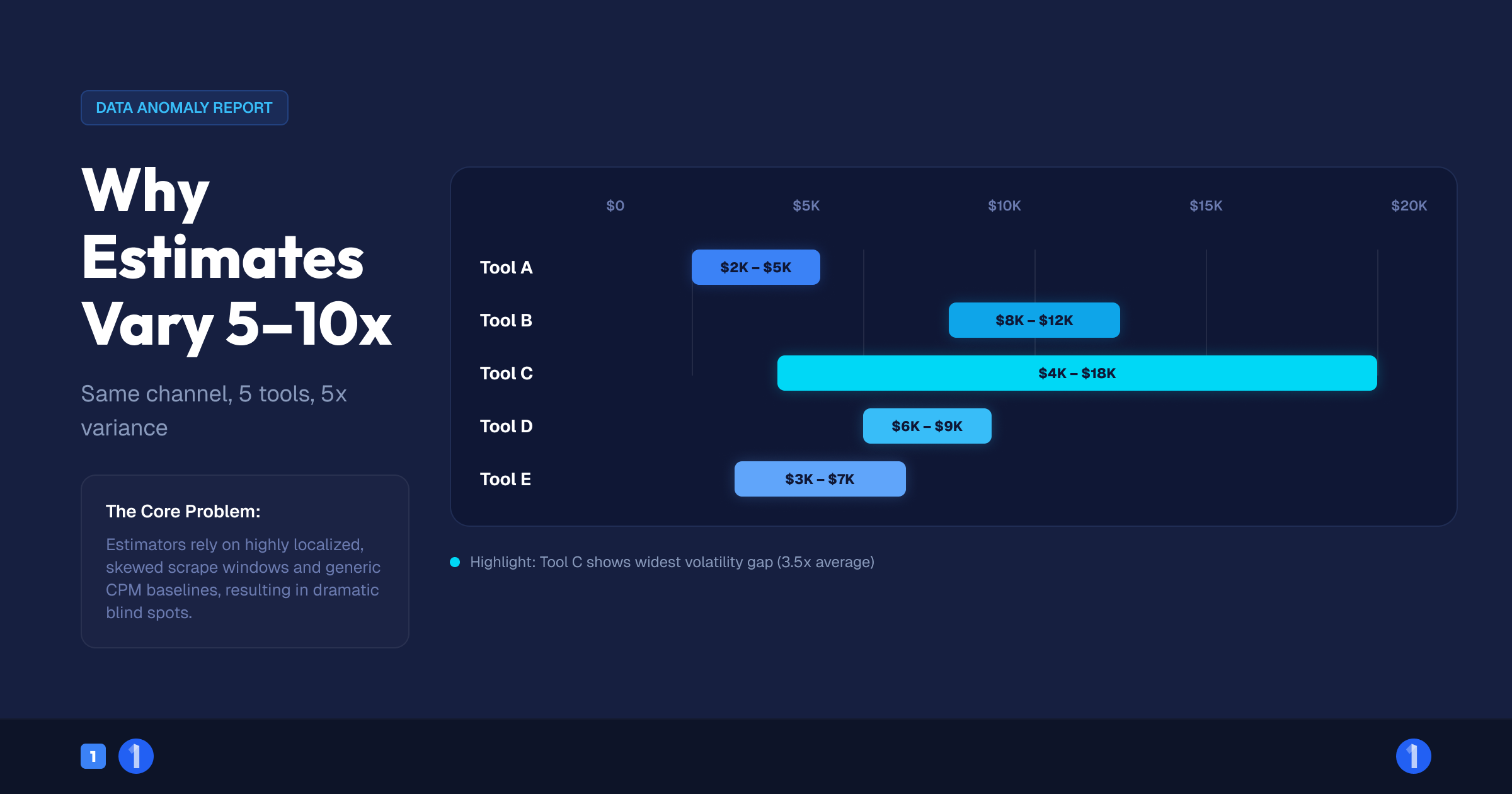
Run the same channel through five earnings estimator tools and you will get five different numbers, sometimes 5x to 10x apart. The spread comes from hidden assumptions, not hidden data. Every tool sees the same public view counts; they disagree about everything else.
The five usual causes:
- CPM used where RPM belongs. Some tools multiply views by advertiser CPM and skip YouTube's 45% cut and the unmonetized views. That alone can double or triple the estimate.
- One global RPM for every niche. A tool with a hardcoded $4 RPM will lowball a finance channel by 4x and flatter a music channel by 3x.
- Shorts views billed at long-form rates. A Shorts-heavy channel's estimate can be inflated by 10x or more this way.
- Geography ignored. An audience in the US, UK, Canada, or Australia earns a multiple of what the same audience size earns in lower-CPM markets. Tools that skip the question quietly assume the answer.
- Different view windows. Last 30 days, last 12 months averaged, or lifetime views divided by channel age all produce different monthly figures for the same channel.
The fix is not finding the one true calculator. It is using any calculator that shows its RPM assumption, setting that assumption yourself, and reading the output as a range. That is exactly why our free money calculator exposes the RPM input instead of hiding it.
How to sanity-check any earnings estimate

Before you trust a number, from our tool or anyone's, run it through three quick checks. Each one takes under a minute and catches the most common failure modes.
- Check the implied RPM. Divide the estimate by views and multiply by 1,000. If a gaming channel's estimate implies a $14 RPM, the tool is using the wrong band. Typical creator-reported gaming RPMs sit at $2 to $5.
- Check the Shorts share. Open the channel's Shorts tab. If a large slice of recent views are Shorts and the estimate treats them at long-form rates, cut that slice of the estimate by 95% or more.
- Check monetization status at all. Under roughly 1,000 subscribers, assume $0 from ads. Full ad revenue sharing only unlocks at the second Partner Program tier, and channels also need to clear the review, as covered in the YPP guide.
If an estimate survives all three checks, it is about as good as public data allows. If it fails one, you now know exactly which direction it is wrong in, which is often more useful than the number itself.
For your own channel, skip the guessing entirely once you have data. YouTube Studio shows your real RPM under Analytics, Revenue. Thirty days of real RPM beats every calculator on the internet, and plugging it back into the views x RPM formula turns projections from guesses into arithmetic.
Revenue beyond ads: the income calculators never count
Ad revenue is the only stream a calculator can even attempt, and for many working creators it is not the biggest one. When you estimate a channel's business, or plan your own, stack the full set:
- Sponsorships and brand deals. Priced per integration or per 1,000 views, negotiated privately. For mid-size channels these commonly exceed AdSense income.
- Channel memberships and Supers. Fan funding unlocks at 500 subscribers under the current YouTube Partner Program tiers, well before ad revenue does.
- Affiliate income. Commission links in descriptions. High-intent niches like tech reviews and finance convert best.
- Products and services. Courses, merch, software, coaching. The channels that turn views into six-figure businesses usually sell something of their own.
- YouTube Premium revenue. A share of subscription fees based on watch time from Premium members, paid alongside ads.
A useful rule from watching monetized channels at scale: the more a channel earns overall, the smaller the AdSense slice tends to be as a percentage. Calculators estimate the slice. The pie is built elsewhere.
Turn the estimate into a plan
An earnings calculator answers "what would X views be worth?" The harder question is how to get X views, and that one has a data answer too.
Across 1of10's outlier database, the channels that grow revenue fastest are not posting more. They are modeling videos on proven outliers: videos performing 10x to 100x above their channel's average. An outlier from a channel your size is evidence that a topic and packaging combination works without a big subscriber base behind it.
The loop looks like this:
- Size the niche with the calculator. Views x niche RPM tells you what winning would pay.
- Find what already overperforms with the Outlier Finder, filtered to channels near your size.
- Make your version with stronger packaging. Titles and thumbnails decide clicks. Our thumbnail generator trains on high-performing thumbnails so you start from proven patterns.
- Recheck the math monthly. As your real RPM appears in YouTube Studio, replace the assumed RPM in your projections with the real one.
Estimate first, then engineer the views. That order keeps you out of low-RPM niches you would have to escape later.

FAQ
How accurate are YouTube earnings calculators?
Accurate to about one order of magnitude, no better. Views are public but RPM is private, and RPM spans $1 to $20 or more across niches based on creator-reported ranges. A good calculator shows its RPM assumption and returns a range. Treat any single-figure estimate as a midpoint, not a measurement.
How do you calculate YouTube earnings by channel name?
Pull the channel's last 30 days of views from a public stats site, assign a typical RPM band for its niche, then run views x RPM / 1,000 at both ends of the band. Discount Shorts views heavily, since they earn at pooled rates far below long-form RPM.
What RPM should I use to calculate YouTube earnings?
Start at $3 to $5 if you are unsure; that covers the broad middle of creator-reported figures. Use $10 to $25 for finance and business content, $5 to $15 for tech, and $1.50 to $5 for gaming, vlogs, and music. Full niche and country tables are in our per-view rates guide.
Do YouTube earnings calculators count Shorts views correctly?
Most do not. Shorts pay from a shared Creator Pool at rates creators typically report as under a cent per view, while long-form RPM runs $1 to $20. A calculator that applies long-form RPM to Shorts views can overstate a Shorts-heavy channel's earnings by 10x or more.
How much does a YouTuber with 1 million subscribers make?
Subscribers do not pay; views do. A million-subscriber channel with 2 million monthly long-form views at a $4 RPM earns about $8,000 a month from ads, before sponsorships and products. We cover the full breakdown in our guide to how much YouTube pays a channel with 1 million subscribers.
Want the views side of the equation, not just the math? The 1of10 Outlier Finder shows you which videos are already earning 10x to 100x their channel's average views, so you can model your next upload on proof. Run your numbers on the free YouTube money calculator, then go make them real. Start free at 1of10.com.