
How Long Can YouTube Shorts Be? (Length Rules 2026)
How long can YouTube Shorts be? Up to 3 minutes since October 2024, if the aspect ratio is square or vertical. Every length rule, plus the ideal length.
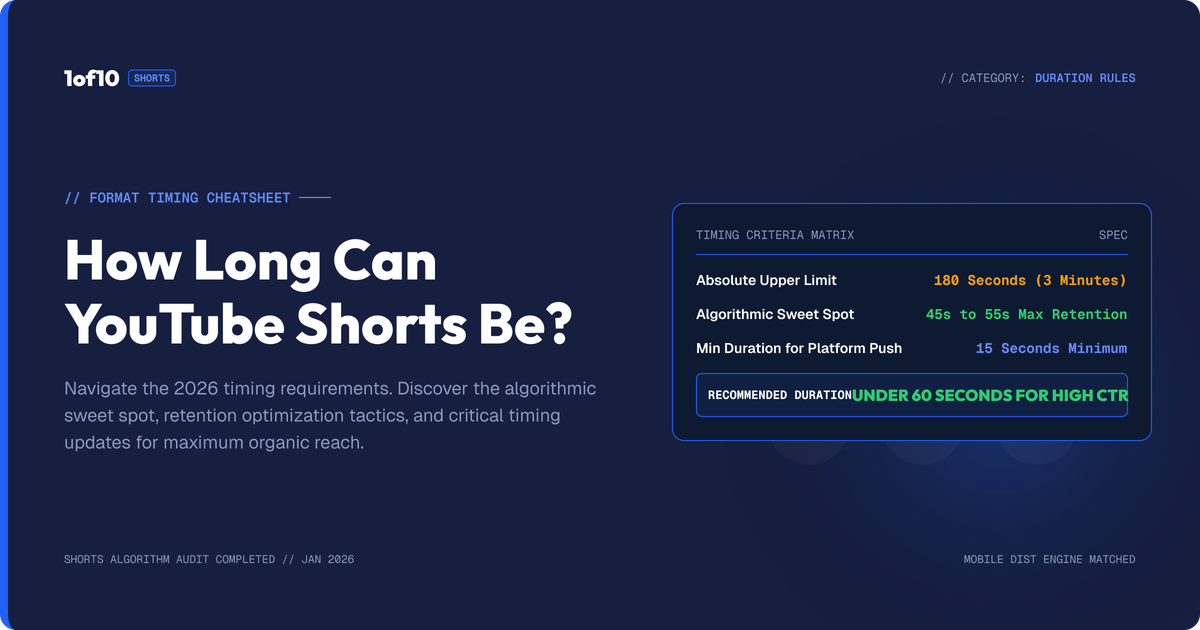
YouTube Shorts can be up to 3 minutes long. Since October 15, 2024, any video uploaded with a square or vertical aspect ratio and a length of 3 minutes or less is automatically classified as a Short. Before that date the limit was 60 seconds. There is no official minimum length, and the 3-minute cap has no exceptions.
That is the whole answer, but the aspect-ratio part catches more creators than the time limit does. Length alone does not make a Short. A 2-minute vertical video becomes a Short whether you wanted that or not, and a 2-minute 16:9 video never will, no matter how many #shorts tags you add. This guide covers every rule, verified against YouTube's official documentation, plus the strategy question the limit raises: just because you can post 3 minutes, should you?
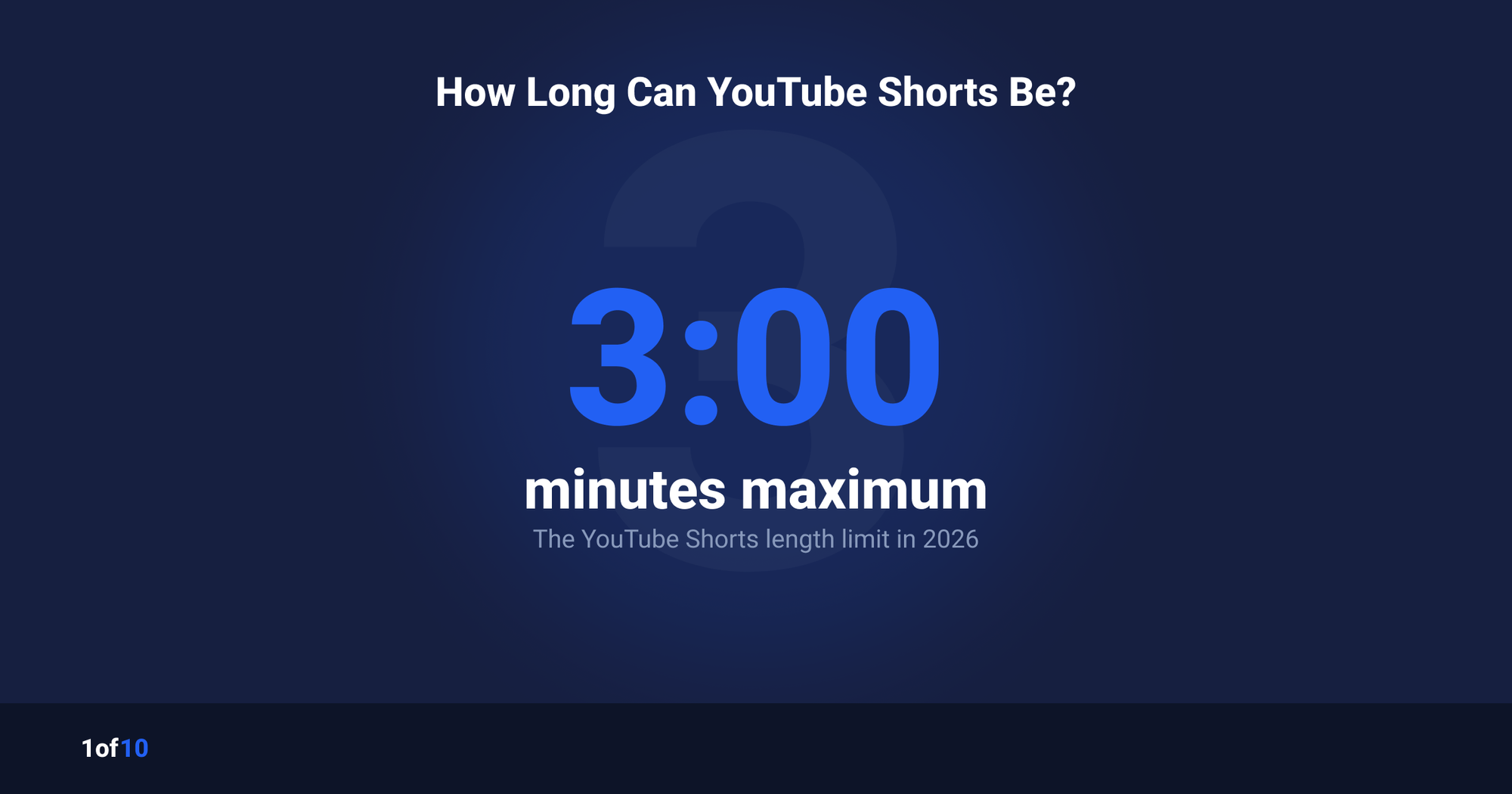
How Long Can YouTube Shorts Be in 2026?
The maximum length of a YouTube Short is 3 minutes (180 seconds). YouTube's official help documentation states that videos uploaded on or after October 15, 2024 with a square or vertical aspect ratio, up to 3 minutes in length, are categorized as Shorts. Both conditions must be true: the length and the aspect ratio. Neither the #shorts hashtag nor the upload flow decides it.
The full rule set:
- Maximum length: 3 minutes, uploaded on or after October 15, 2024.
- Aspect ratio: square (1:1) or vertical (taller than wide, typically 9:16).
- Classification is automatic. You do not choose. YouTube reads the file's dimensions and duration.
- The #shorts hashtag does nothing for classification. It is discoverability text, not a switch.
- Recording inside the app: the Shorts camera records up to 3 minutes.
Source: YouTube's official pages on three-minute Shorts and uploading Shorts, both live-checked for this guide in July 2026.
The Aspect-Ratio Catch Nobody Reads
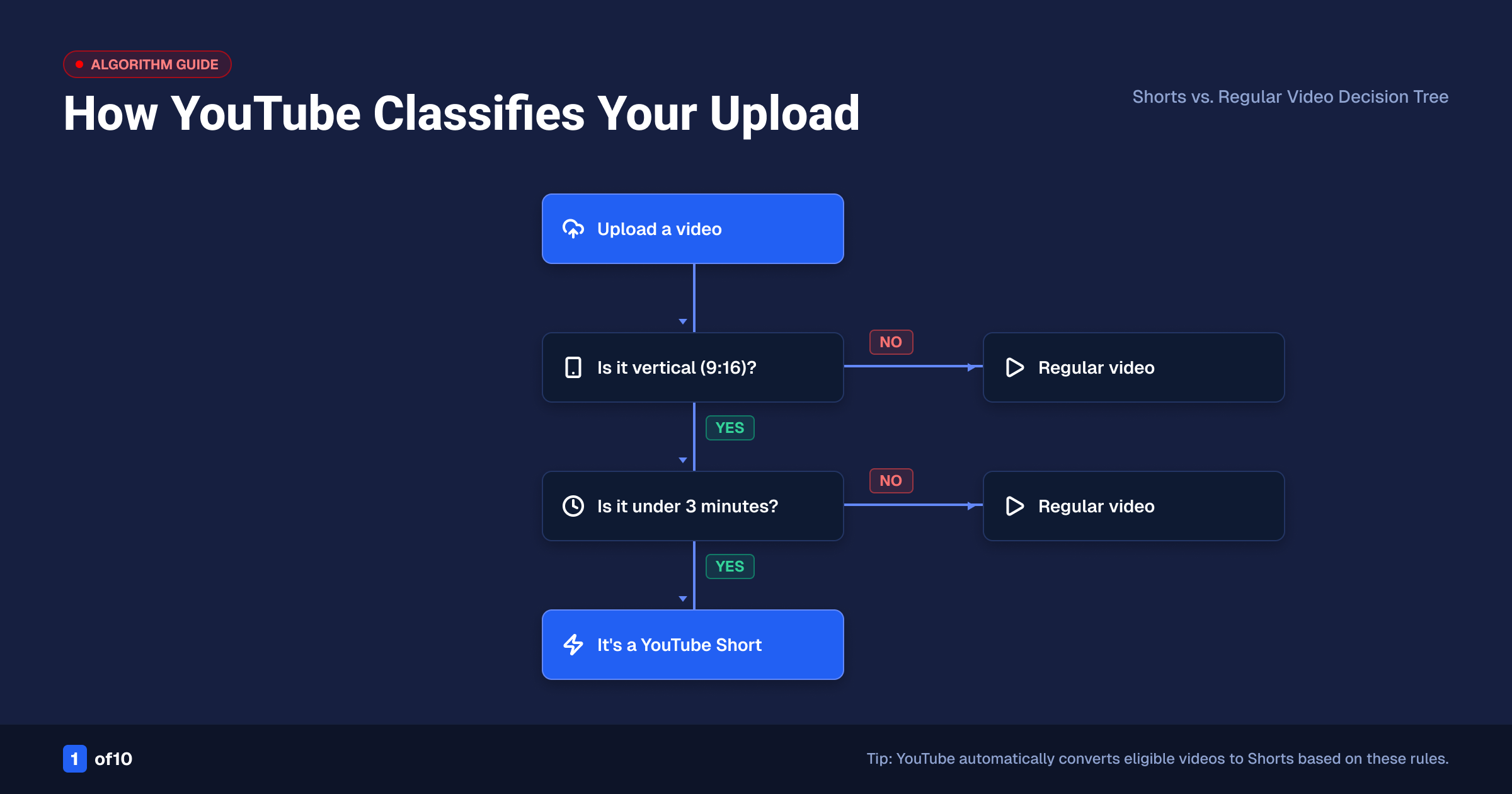
Aspect ratio is half the classification rule, and it is the half that surprises people. Any square or vertical upload of 3 minutes or less becomes a Short automatically. If you upload a 90-second vertical clip intended as a regular video, YouTube will put it in the Shorts feed and the Shorts shelf, with Shorts monetization rules attached.
YouTube's documented escape hatch is simple: "If you don't want your content to be classified as Shorts, use a wider aspect ratio such as 16:9 for long-form videos."
Practical version of the rule:
| Your upload | What YouTube makes it |
|---|---|
| Vertical or square, 3:00 or less | Short |
| Vertical or square, 3:01 or more | Regular video |
| 16:9 widescreen, any length | Regular video |
| Vertical, 3:00 or less, uploaded before Oct 15, 2024 | Stays a regular video |
Note the second row. A vertical video that runs even one second past 3 minutes is a regular video. It plays in the standard player with black side bars, not in the Shorts feed. There is no in-between state.
A worked example makes this concrete. You film a 2-minute product review on your phone in vertical. You treat it as a normal video: you write a long description with timestamps, add an end screen, and link a playlist. You upload it and YouTube drops it straight into the Shorts feed, because it is vertical and under 3 minutes. The timestamps do nothing, the end screen never shows, and the video now competes on swipe-through instead of suggested-video clicks. If that was not the plan, you had two fixes at the edit stage: crop the frame to 16:9, or let the cut run past 3:00. Decide the surface before you export, not after you upload.
The 60-Second Era and What Happened to Old Videos
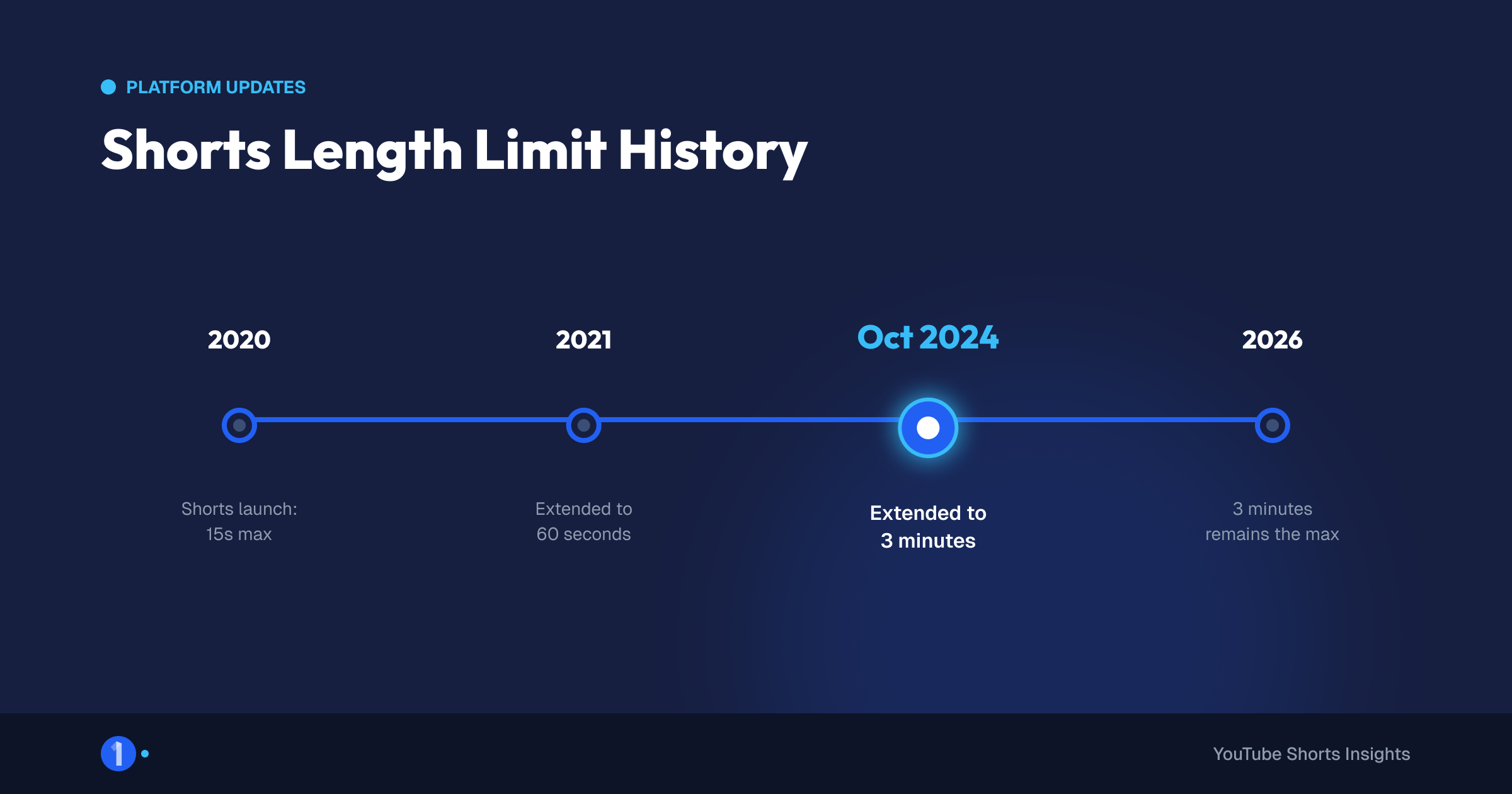
From the 2021 launch until October 14, 2024, Shorts maxed out at 60 seconds. On October 15, 2024 YouTube raised the cap to 3 minutes for new uploads. The change was not retroactive. YouTube's help page states that any videos uploaded before that date "will remain the same, as a long-form video on YouTube."
What that means in practice:
- A 2-minute vertical video uploaded in 2023 is still a regular video today. It never became a Short.
- A 45-second vertical video uploaded in 2023 was a Short then and is a Short now. Nothing changed under the old limit.
- You cannot flip an old upload's classification. To move a pre-October-2024 vertical video into the Shorts feed, you re-upload it as a new video.
There is one hard edge on longer Shorts worth knowing: any Short over 1 minute that carries an active Content ID claim, including manual claims, is blocked globally on YouTube. Use licensed or original audio on anything past the 60-second mark. Our deep dive on 3-minute Shorts and what you need to know covers the change and its edge cases in full.
Is There a Minimum Length for Shorts?
YouTube publishes no official minimum length for Shorts. Technically, a vertical clip of a single second uploads fine and classifies as a Short. In practice, almost nothing useful happens under 5 seconds: there is no time to deliver a payoff, and ultra-short clips tend to loop so fast that watch signals get noisy.
Community practice, labeled as exactly that:
- Most performing Shorts run 15 to 60 seconds.
- Sub-10-second Shorts exist and can loop well, but they are a niche play, not a default.
- The Shorts camera inside the app records in segments up to the 3-minute cap, so app-recorded Shorts are practically bounded the same way uploads are.
So the honest answer: the floor is technical, not official. Make the Short as short as the idea allows and no shorter than the payoff requires.
What Makes YouTube Classify a Video as a Short?
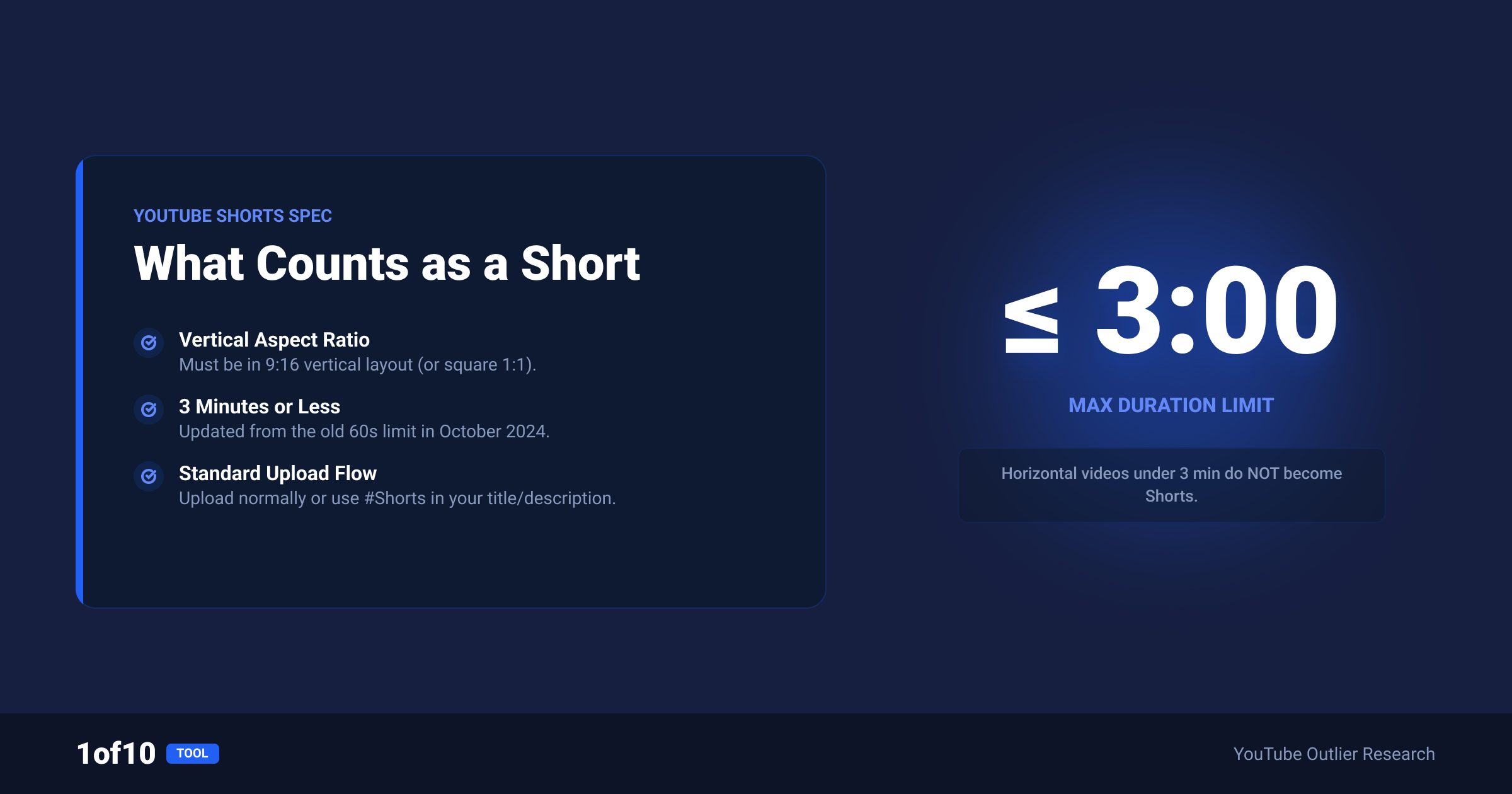
Two conditions, both required: a square or vertical aspect ratio, and a runtime of 3 minutes or less, on any video uploaded on or after October 15, 2024. That is the complete test. Hashtags, titles, upload method, and the word "short" anywhere in your metadata play no role in classification.
Common myths, corrected:
- "Add #shorts and it becomes a Short." False. The hashtag helped discovery in the early Shorts era and still appears in search, but classification reads only dimensions and duration.
- "Uploading from the Shorts camera makes it a Short." The app camera produces square or vertical video under 3 minutes, so the output classifies as a Short because of its properties, not because of the tool.
- "Desktop uploads can't be Shorts." False. A vertical file under 3 minutes uploaded from desktop becomes a Short. YouTube's desktop upload flow even lets you pick up to 15 short videos at a time.
- "I can toggle it later." There is no toggle. Change the file (aspect ratio or length) and re-upload if you need the other format.
You can confirm how YouTube classified any upload in seconds. Open the video after it processes. If it plays in the vertical Shorts player and appears on your channel's Shorts shelf, it was classified as a Short. If it opens in the standard 16:9 player with a scrub bar and suggested videos beside it, it is a regular video. There is no separate label to switch. The player it opens in is the answer.
If you are optimizing for the Shorts feed deliberately, classification is step zero. Feed distribution, the swipe decision, and Shorts-specific metrics take over from there. Our guide on how to go viral on YouTube Shorts picks up at that point.
Optimal Length vs Maximum Length
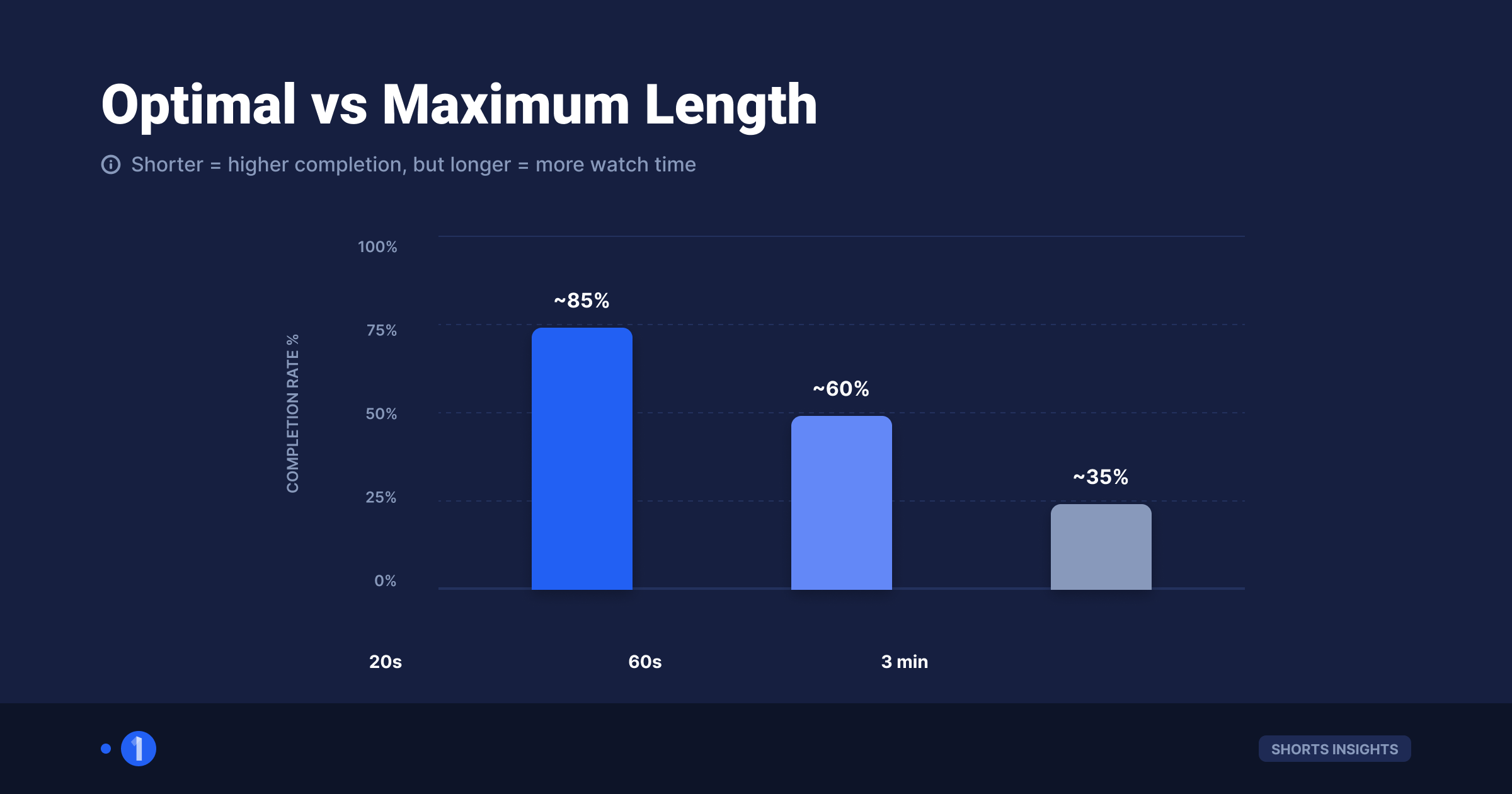
The maximum is 3 minutes. The optimal length is a strategy question, and YouTube publishes no official answer, so treat everything in this section as strategy, not platform rule. The logic that matters is completion: the Shorts feed rewards Shorts that people watch to the end and loop, and every added second makes 100 percent completion harder.
The completion-rate math, in plain terms:
- A 20-second Short needs 20 seconds of attention to loop. Very achievable.
- A 3-minute Short needs 9x that. A viewer who leaves at 2:40 still counts as an 89 percent watch, which is good, but the loop signal is mostly gone.
- Percentage retention naturally falls as length rises, and the feed judges Shorts against similar-length content, so longer Shorts are not doomed, they just play a different game: total watch time per viewer instead of loops.
A sane way to choose length:
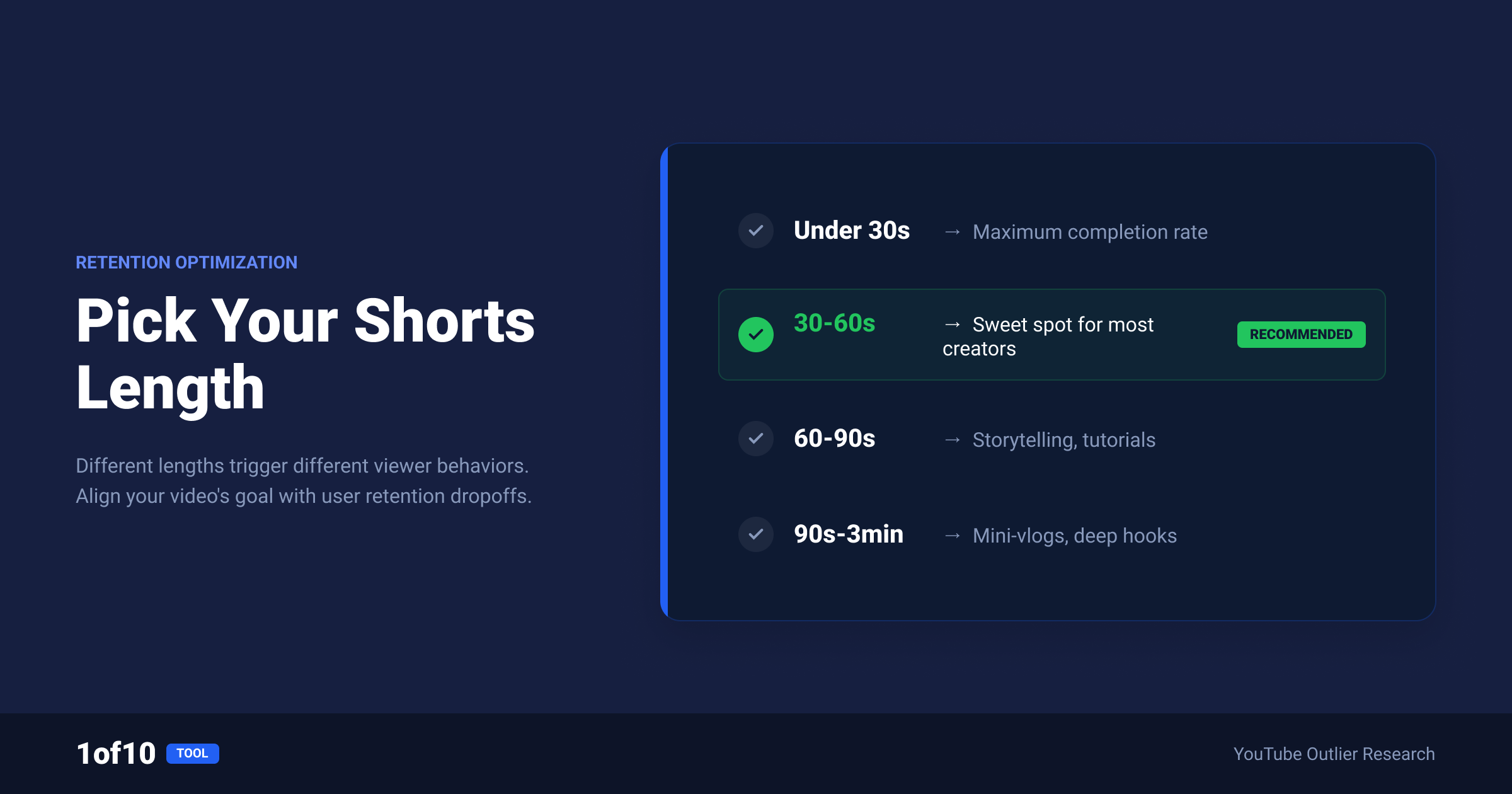
- Default to the shortest version that delivers the payoff. Most ideas fit in 20 to 45 seconds.
- Go long (1 to 3 minutes) only when the idea needs it: stories, tutorials, and multi-step reveals that hold attention through structure.
- Check what wins in your niche instead of guessing. Shorts Outliers surfaces Shorts performing 10x or more above their channel's average, and the length band of those outliers tells you what the feed is rewarding in your niche right now. If every outlier runs under 35 seconds, a 3-minute Short is swimming upstream.
- Watch your own retention graph. If your 60-second Shorts hold 85 percent, stretch. If they sag at 40 seconds, cut.
Here is that fourth step as a worked example. Say you run a cooking channel. You open Shorts Outliers, filter to your niche, and sort by outlier score. If the top overperformers cluster in one length band, say 25 to 40 seconds, that band is your target: it is the length the feed is rewarding in your niche right now. Post a 2-minute recipe Short into that same feed and you are asking viewers to hold about five times longer than the format is currently paying out for. Match the winning band first. Once your Shorts consistently loop inside it, test one longer cut and watch whether retention holds or breaks. Let the feed answer the length question instead of guessing at it.
Length and Money: Does Duration Change Monetization?
Shorts of any length, including the full 3 minutes, are eligible for Shorts monetization if they show in the Shorts feed. YouTube confirms that Shorts in the feed fall under the Shorts revenue-sharing model, which pools ad revenue shown between Shorts and pays by share of engaged views. Duration does not change the revenue model. A 3-minute Short is paid like a 20-second one: by engaged views.
The length-related money details that do matter:
- Shorts revenue sharing pays on engaged views, not raw plays. Longer Shorts that hold attention can earn more per viewer only insofar as they generate the same engaged view, so volume of engaged views remains the whole game.
- A Short is paid as a Short, never as a long-form video. Long-form pre-roll and mid-roll RPMs are far higher. If a 3-minute idea could work as a 16:9 video, the regular player usually pays more for the same watch time.
- The Content ID rule bites here: a Short over 1 minute with any active Content ID claim is blocked globally, which means zero views and zero revenue. Original audio only on long Shorts.
For the full picture, read how much YouTube pays Shorts creators for real RPM expectations, and how to get monetized with YouTube Shorts for the eligibility path. If your goal is watch-time-driven long-form revenue instead, our guide on increasing YouTube watch time covers that side.
YouTube Video Length Rules: The Full Table
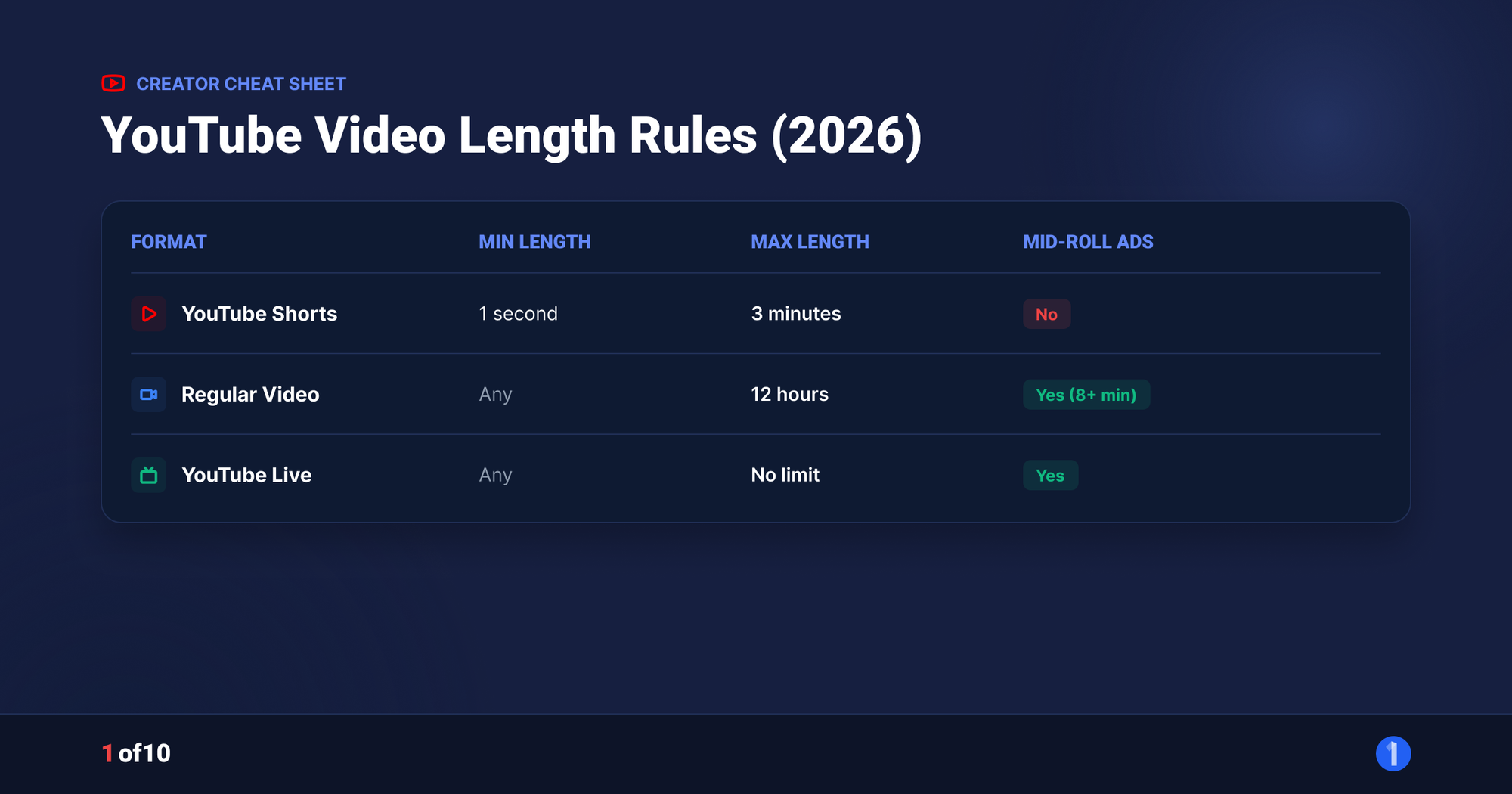
Shorts are one row in YouTube's length rules. For regular videos, unverified accounts can upload up to 15 minutes, and verified accounts can upload up to 12 hours or 256 GB, whichever limit hits first. Here is every duration rule in one place.
| Format | Minimum | Maximum | Conditions |
|---|---|---|---|
| Short (current) | No official minimum | 3 minutes | Square or vertical, uploaded on or after Oct 15, 2024 |
| Short (legacy) | No official minimum | 60 seconds | Uploaded before Oct 15, 2024; unchanged since |
| Regular video (unverified account) | None | 15 minutes | Default limit for new accounts |
| Regular video (verified account) | None | 12 hours or 256 GB | Whichever is smaller; verify with a phone number |
| Vertical video over 3 minutes | 3:01 | Same as regular video | Plays in the standard player, not the Shorts feed |
Source for the regular-video limits: YouTube's help page on uploading videos longer than 15 minutes. Account verification takes about a minute and unlocks the 12-hour ceiling.
One workflow note: creators who repurpose long-form into Shorts should decide length at the edit, not at upload. Cutting a 3-minute vertical version and a 16:9 full version of the same idea gives you both surfaces. There is a Shorts repurposing hack that builds exactly this into a weekly workflow.
Quick Answers by Length
- Can a Short be 15 seconds? Yes. Anything from a technical minimum up to 3 minutes works.
- Can a Short be 90 seconds? Yes, if uploaded on or after October 15, 2024 with square or vertical aspect ratio.
- Can a Short be exactly 3 minutes? Yes. 3:00 is inside the limit.
- Can a Short be 3:01? No. It uploads fine but becomes a regular video.
- Can a Short be 5 minutes? No. There is no 5-minute Short. A 5-minute vertical video plays in the regular player.
- Is a 2-minute vertical video from 2023 a Short? No. Pre-October-2024 uploads keep their original classification.
FAQ
Can YouTube Shorts be 3 minutes?
Yes. Since October 15, 2024, YouTube Shorts can be up to 3 minutes long. The video must have a square or vertical aspect ratio and be uploaded on or after that date. Both the mobile Shorts camera and standard uploads support the full 3 minutes, and 3-minute Shorts are eligible for Shorts monetization.
Can YouTube Shorts be 5 minutes?
No. The hard maximum is 3 minutes. A vertical or square video longer than 3 minutes uploads normally but is classified as a regular video: it plays in the standard player instead of the Shorts feed and follows long-form rules, including long-form ads. There is no setting that extends the Shorts limit.
Do longer Shorts get fewer views?
Not automatically. YouTube publishes no penalty for length, and the feed compares Shorts against similar content. Longer Shorts do face harder completion math: holding a viewer for 3 minutes is tougher than for 20 seconds, and loops are rarer. Check the length band of outlier Shorts in your niche before defaulting to long.
Why did my vertical video not become a Short?
Two likely reasons. It runs longer than 3 minutes, even by a second, or it was uploaded before October 15, 2024, when the old 60-second rule applied. Classification is automatic and reads only aspect ratio, length, and upload date. Re-upload a trimmed version if you need it in the Shorts feed.
Does the #shorts hashtag make a video a Short?
No. Classification is based only on aspect ratio (square or vertical) and length (3 minutes or less, for uploads on or after October 15, 2024). The #shorts hashtag is plain metadata. It can still appear in search results, but adding it to a 16:9 video will never put that video in the Shorts feed.
How long are YouTube Shorts on average?
YouTube publishes no official average length. Community practice puts most Shorts in the 15 to 60 second band, with the shorter end favoring fast loops and the longer end favoring stories and step-by-step tutorials. Average length is the wrong number to chase anyway. The useful target is the length your niche's top performers are actually using, which you can read off the outlier feed instead of guessing from a global average.
What is the best length for a YouTube Short?
There is no single best length, because YouTube publishes none, so treat this as strategy rather than platform rule. Default to the shortest cut that lands the payoff, usually 20 to 45 seconds, and only stretch toward the 3-minute cap when the idea genuinely needs the extra time. Then let your retention graph decide. If a Short holds past 80 percent all the way to the end, you have room to go longer. If it sags in the first 40 seconds, the fix is a shorter cut, not a bigger idea.
Can a Short be longer than 3 minutes?
No. 3 minutes is the hard ceiling for Shorts classification. A square or vertical video longer than that uploads without any problem, but YouTube files it as a regular long-form video: it plays in the standard player, not the Shorts feed, and follows long-form rules including long-form ads. There is no setting, hashtag, or account tier that raises the Shorts cap above 3 minutes.
Related: YouTube Shorts Analytics: The Metrics That Matter (2026)