
YouTube Tag Extractor: See Any Video's Tags
See any YouTube video's tags in under 30 seconds. Free YouTube tag extractor tools, the Ctrl+U trick, and why copying full tag sets never works.
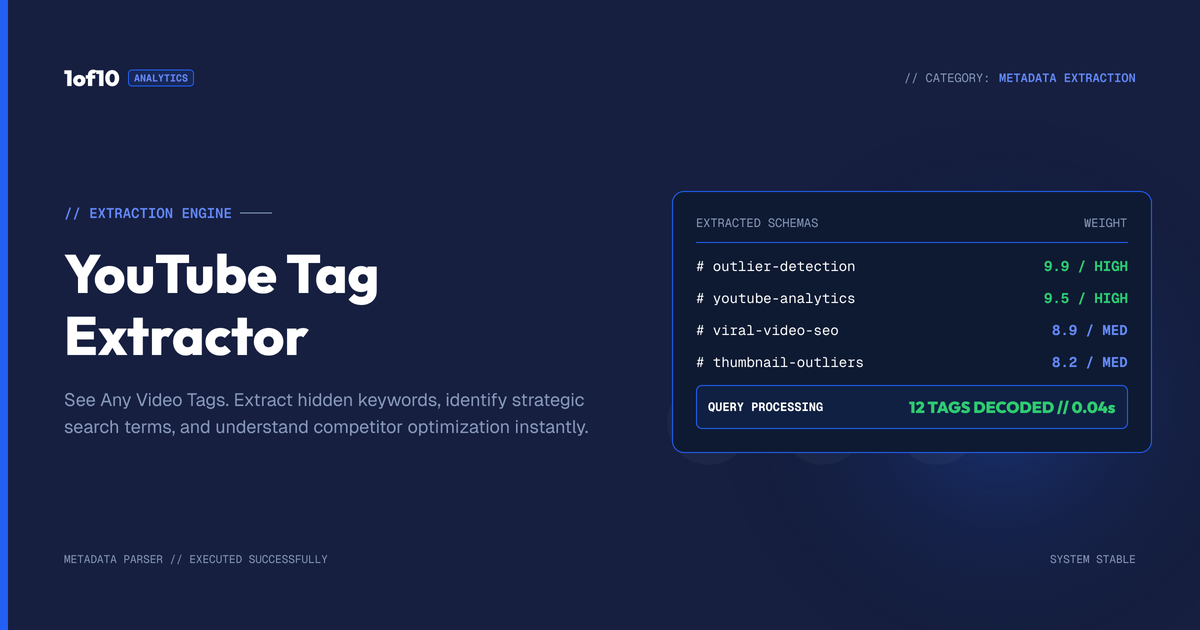
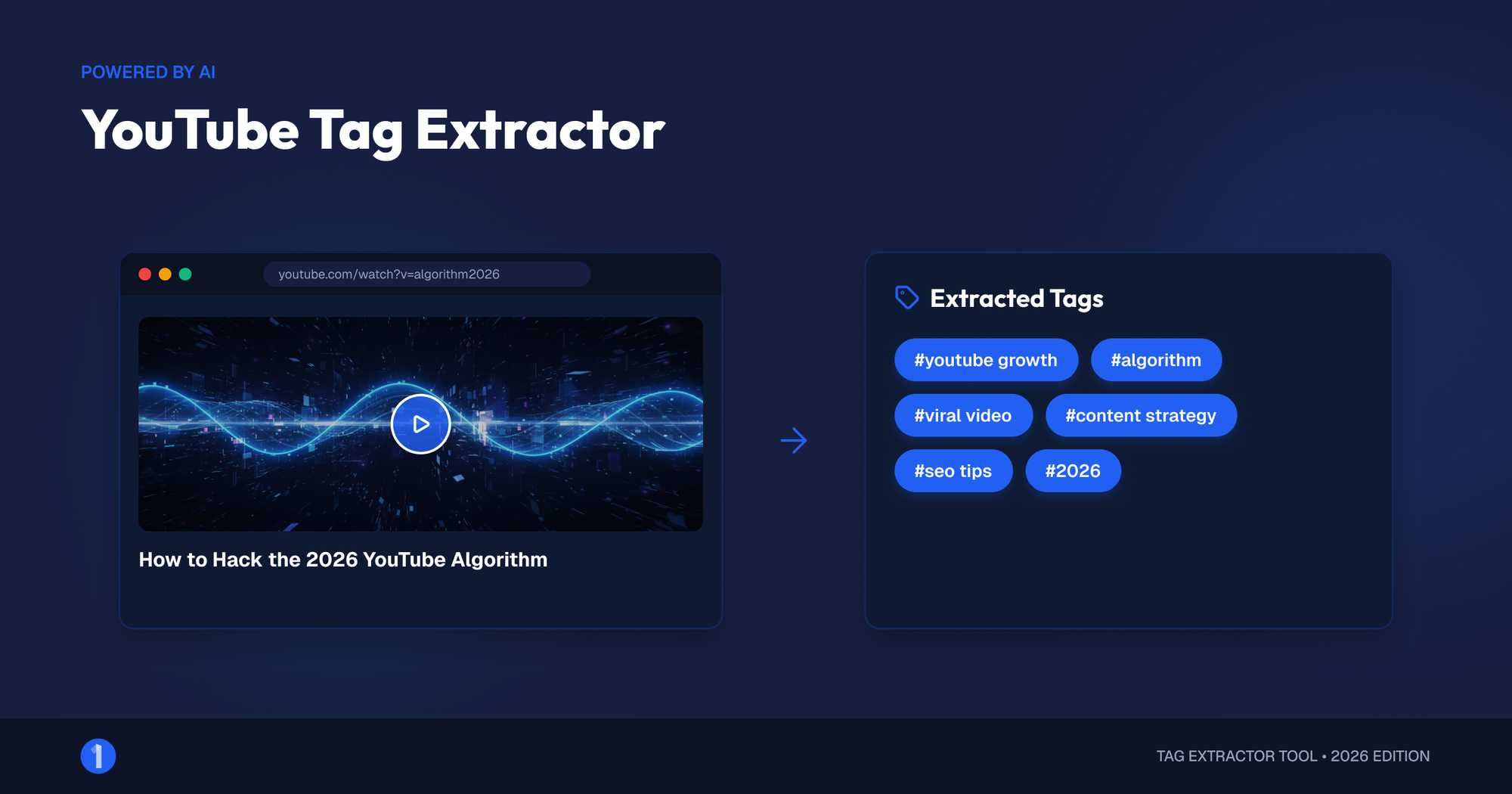
A YouTube tag extractor shows you the hidden tags on any YouTube video. You can extract them two ways: paste the video URL into a free extractor tool, or open the video page, press Ctrl+U, and search for "keywords" in the source code. Both take under 30 seconds. The harder question, which this guide answers honestly, is what those tags are actually worth once you have them.
Short version: less than the extractor industry wants you to believe. YouTube's own Help Center states that tags "play a minimal role in your video's discovery." So we will cover extraction properly, then show you what to do with extracted tags (pattern analysis, not copy-paste) and the competitor research that actually moves views in 2026.
How Do You See the Tags on a YouTube Video?
Tags are invisible on the watch page, but they sit in plain sight in the page's source code. Three methods expose them: a free extractor tool (fastest), the view-source trick (no tools needed), or a browser extension that displays tags on every watch page. All three read the same public metadata, so the results match.
Method 1: Use a free tag extractor tool
Dozens of free sites do tag extraction the same way:
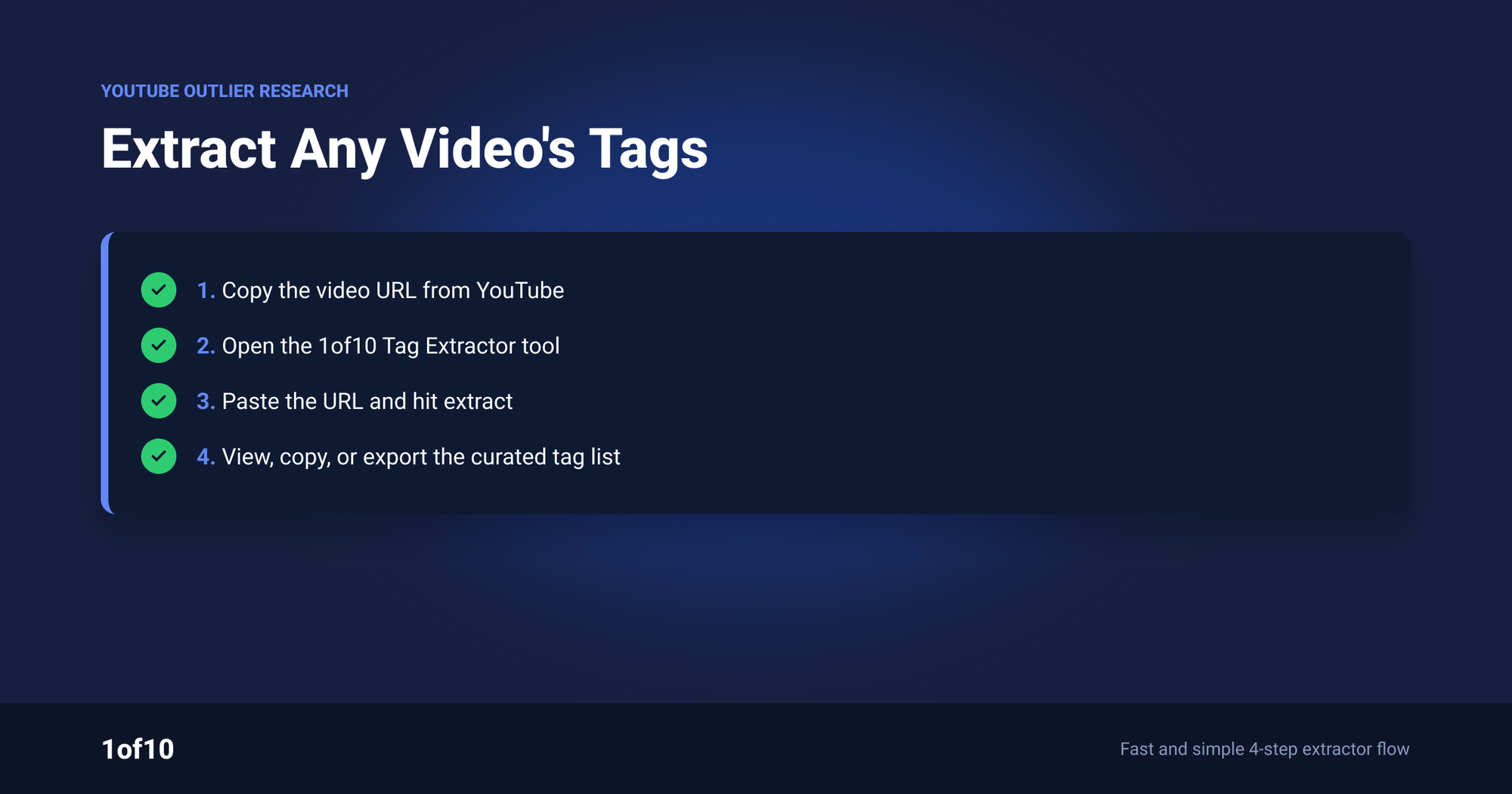
- Copy the video URL from the address bar or the Share button.
- Paste it into the extractor and run it.
- Read the tag list. Most tools show the tags in order and offer a copy button.
The order matters more than most tools admit: creators typically put their main target phrase first, so the first two or three tags are the clearest signal of what the creator thinks the video is about.
One warning on this tool category. Tag extractor sites are ad farms more often than not, and some wrap the result in popups or push notification requests. If a tag site asks you to install anything, close it. The view-source method below gets identical data with zero risk.
Method 2: View the page source (no tools needed)
This is the method extractor sites do not want you to learn, because it makes them unnecessary. YouTube prints every video's tags into the page HTML, where anyone can read them:
- Open the video in a desktop browser.
- Press Ctrl+U (Windows) or Cmd+Option+U (Mac) to view the page source. Right-click and "View page source" does the same.
- Press Ctrl+F (Cmd+F on Mac) to open search, and type "keywords".
- Read the content attribute. You will land on a meta tag that looks like
<meta name="keywords" content="tag one, tag two, tag three">. That comma-separated list is the video's tag set.
You can double-check the result by searching the same source for "og:video:tag". YouTube also prints each tag as its own Open Graph meta line, one per tag, which confirms the list.
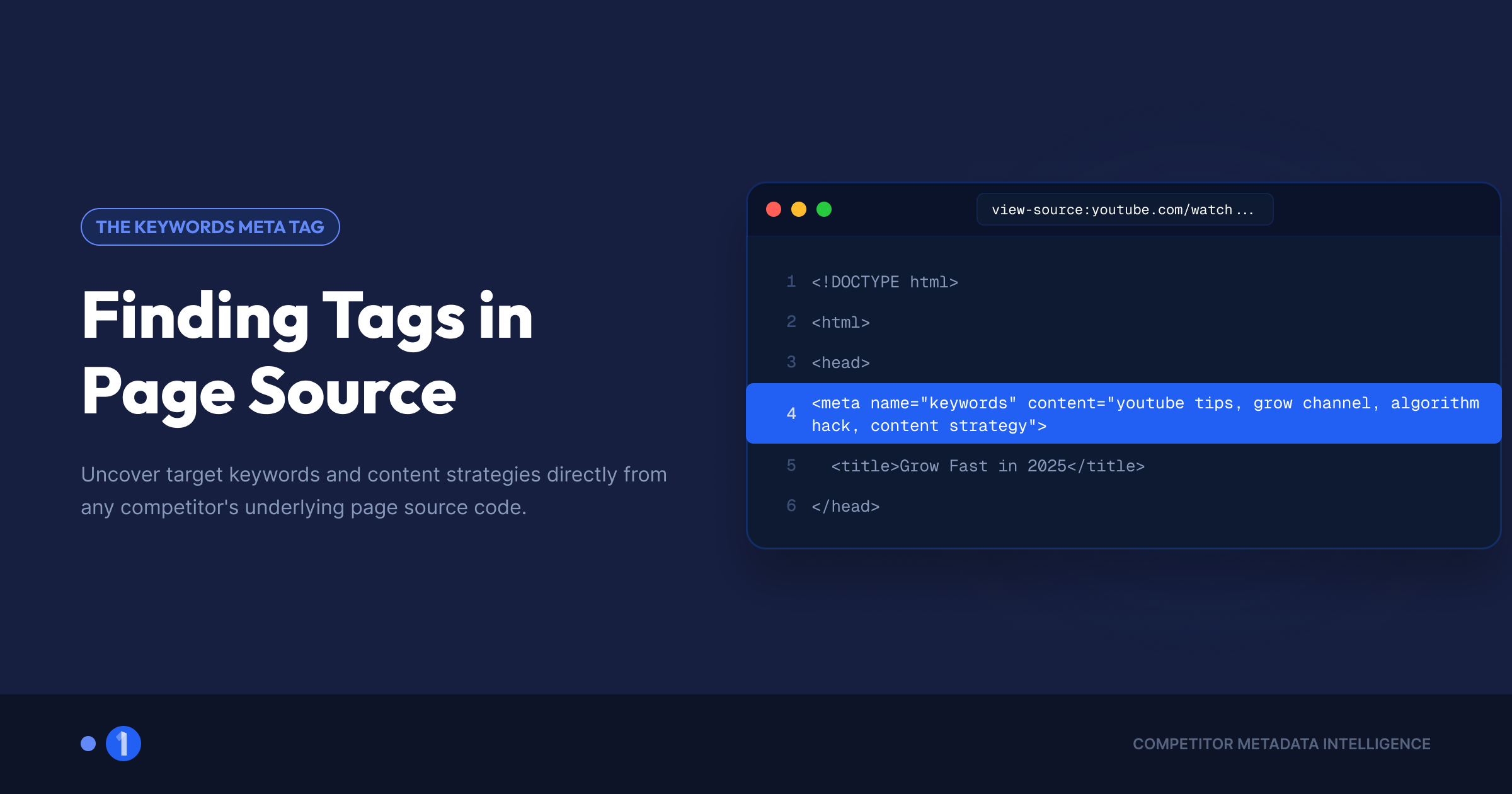
If the keywords line is missing or empty, the creator simply did not add tags. That is common, and it tells you something too: plenty of large channels skip tags entirely and grow anyway.
Method 3: Use a browser extension
The vidIQ and TubeBuddy extensions both display a video's tags in their stats sidebars on every watch page, which beats extracting one URL at a time if you check tags often. If you are building out a research setup, we ranked the whole category in our guide to the best YouTube Chrome extensions.
Can you extract tags on mobile?
Yes, with one extra step, because mobile browsers hide the view-source shortcut:
- Open the video in your mobile browser, not the YouTube app. The app never exposes page source.
- Prefix the URL with
view-source:in Chrome for Android (type it before the https), or use your browser's "Request desktop site" option and a source-viewer bookmarklet on iOS. - Search the source for "keywords" exactly as on desktop.
Honestly, though: extractor tool sites are the smoother mobile path. Paste the URL, read the list. Save the view-source method for desktop, where it is genuinely faster than any tool.
Worth stating plainly: seeing another video's tags is not hacking. The tags sit in public page metadata that YouTube serves to every visitor and every search engine. Extraction violates nothing.
What Does a YouTube Tag Extractor Actually Do?
A YouTube tag extractor reads the public metadata YouTube attaches to every video page and formats the keywords line into a clean list. That is the entire product. It does not access private data, reveal analytics, or expose anything the page source does not already contain. Every extractor, free or paid, reads the same meta tag.
Which raises the obvious question: if extraction is this trivial, why does "youtube tag extractor" stay a heavily searched, expensive keyword year after year? Because tags used to matter. Before roughly 2012, YouTube search leaned hard on tag metadata, and an entire generation of SEO advice fossilized around it. The tools outlived the tactic.
Tags in 2026 do one confirmed job: helping YouTube catch commonly misspelled searches. Everything else about discovery runs on viewer behavior. We break down what tags are, how to add them, and the 500-character field rules in our full YouTube tags guide; this post stays on the extraction side.
Why Do Creators Extract Competitor Tags?
Creators extract tags for three legitimate reasons: to see how a winning video describes itself, to mine phrasing and synonyms for their own titles and descriptions, and to reverse-engineer a competitor's target keyword. All three treat tags as research signal. The fourth common reason, copying tag sets wholesale, is the one that does nothing.
The legitimate three, in practice:
- Self-description. A creator's first tags usually name the exact search phrase they built the video around. Extract tags from five winning videos on one topic and you can read the room: what phrasing the niche has settled on.
- Vocabulary mining. Tag lists surface synonyms and phrase variants ("sourdough for beginners" vs "easy sourdough bread") that are worth carrying into your title and description, the fields that actually carry weight.
- Intent confirmation. When a video's title is ambiguous, its tags often are not. Extraction settles whether that 2M-view video was targeting "budget travel" or "travel vlogging," which matters if you plan to compete with it.
Notice what all three have in common: the tags are evidence about the creator's strategy, not an ingredient you transplant.
What Should You Do With Extracted Tags?
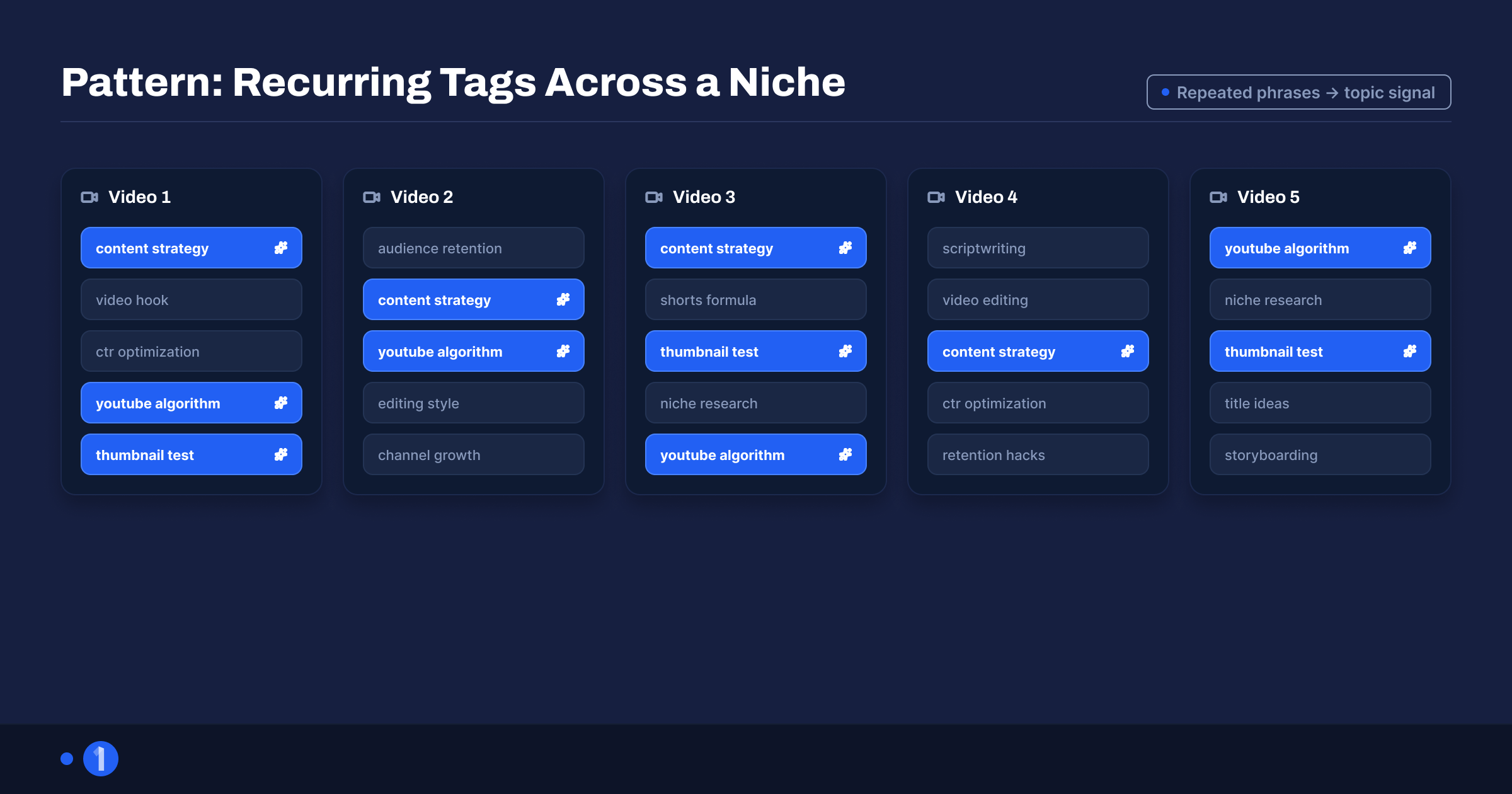
Analyze patterns across several winning videos, then apply what you learn to your titles, descriptions, and content angles. Never paste another video's tag set into your own upload. Copied tags do not transfer any ranking power, and copying wholesale can cross into misleading metadata, which YouTube's spam policy covers.
Here is the workflow that extracts actual value:
- Pick one topic and five winners. Five strong videos on the topic you plan to cover, ideally from channels near your size.
- Extract all five tag sets using either method above.
- Highlight the overlaps. Phrases appearing in three or more lists are the niche's settled vocabulary.
- Carry the overlaps into fields that matter. Use the shared phrasing in your title, description, and spoken intro, where both viewers and YouTube's systems actually read it.
- Write your own tags fresh. 10 to 15 tags that honestly describe your video, using the 4-part formula from the tags guide.
Why copying full tag sets is useless
Copying a winner's tags feels like borrowing their ranking. It is not, for three reasons rooted in how YouTube evaluates relevance:
- Tags describe, they do not rank. YouTube's discovery systems weigh click-through rate, watch time, and satisfaction signals. A tag list identical to a 10M-view video changes none of those numbers for your upload. The winner won on packaging and retention, and those do not travel through a meta field.
- Relevance is contextual. YouTube reads your tags against your actual content, title, description, captions, and audience response. Tags that fit their video but not yours create noise at best. At worst, deliberately misleading tags fall under YouTube's spam and deceptive practices policy.
- The tags were never the cause. This is the core error. Extracting a winner's tags and copying them assumes the tags produced the win. Across every case study we have run, the causes visible in outlier data are idea, title, and thumbnail.
So extract for intelligence, not for parts. Keep the boundary clear:
- Extracted tags can tell you: the search phrase a competitor targeted, the vocabulary a niche has settled on, and how a creator categorizes their own content.
- Extracted tags cannot tell you: why the video got clicked, why viewers stayed, whether the format repeats, or what any of it means for your channel.
The tag list tells you what a competitor was aiming at. It cannot hand you what they hit.
Do Tags Still Matter for YouTube SEO in 2026?
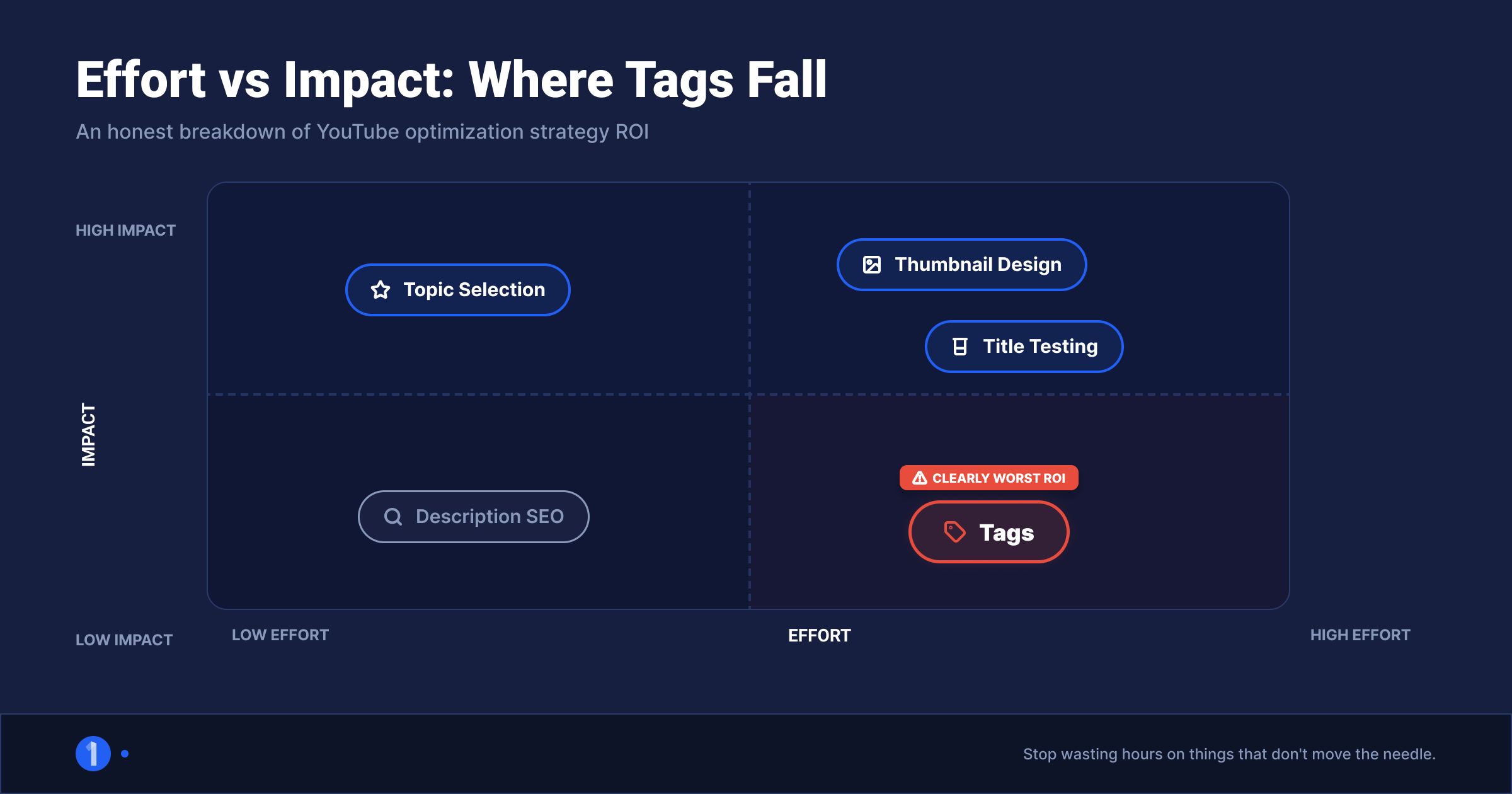
Barely. YouTube's official documentation says tags "play a minimal role" in discovery and are mainly useful for commonly misspelled search terms. Titles, thumbnails, and descriptions carry the metadata weight. Treat tags as a 2-minute hygiene task per upload, not a growth strategy.
That has a direct implication for tag research: the ceiling is low. Even executed perfectly, tag extraction and analysis optimizes a signal YouTube has told us is minor. Spending an hour on tag research to improve a minimal-role field is bad math when the same hour spent on your thumbnail or your idea touches the signals that decide distribution. Our breakdown of how the YouTube algorithm works covers what those signals are and how they compound.
Do the 2-minute version: generate a clean tag list with the free YouTube tag generator, prune anything that does not honestly describe your video, paste, save, move on. That free tool exists precisely so tags stop consuming research time they cannot repay. For title and description keywords, where words still count, run your topic through the YouTube keyword generator instead.
The Better Research Workflow: Study What Actually Won
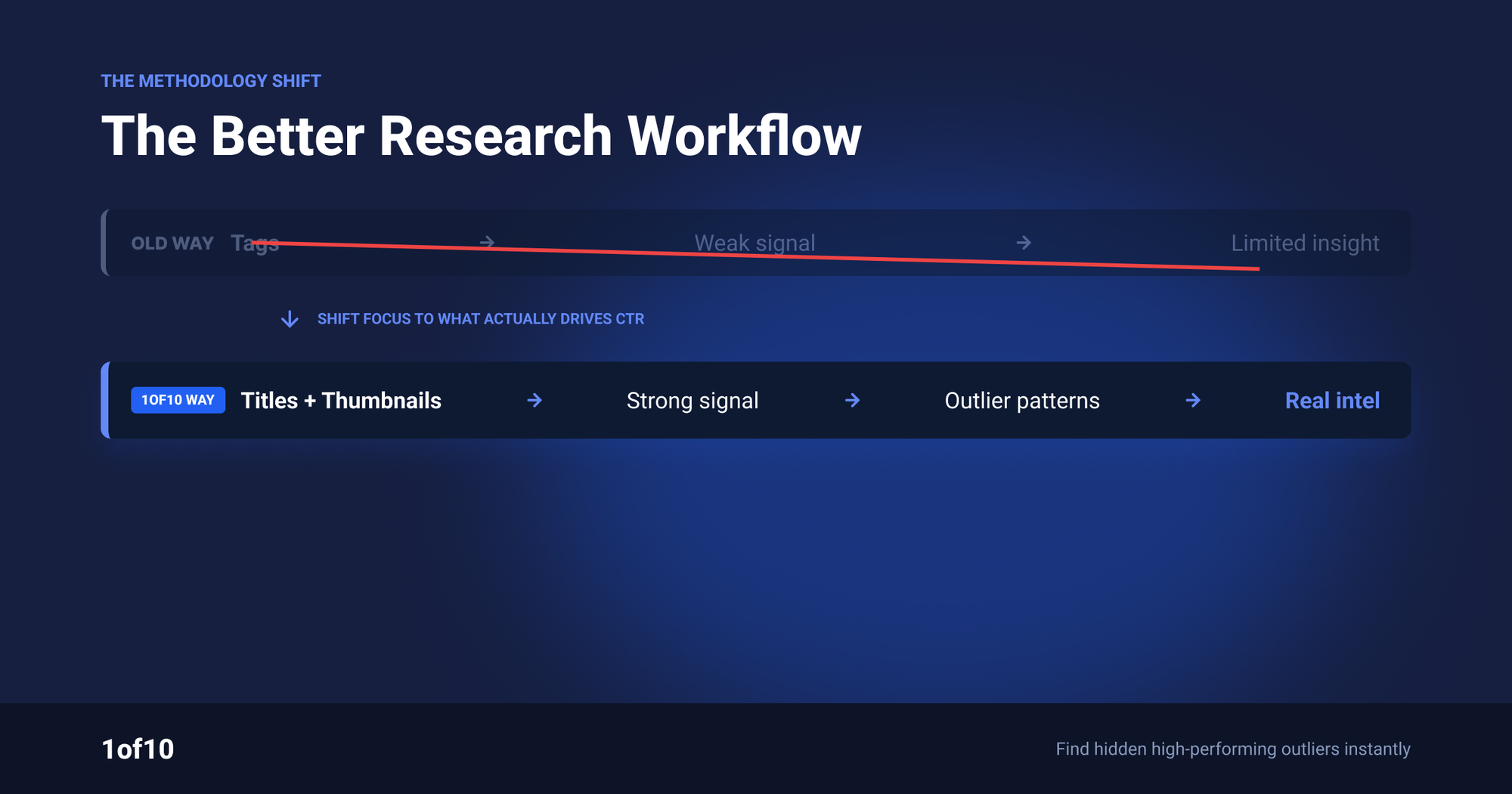
If extracting tags is the instinct, the underlying goal is right: learn from videos that won. The fix is pointing that instinct at the parts of a winning video that caused the win. Ideas, titles, thumbnails, and formats are all public, all analyzable, and all transferable in a way tags are not.
The workflow, using data instead of guesswork:
- Find the outliers in your niche. An outlier is a video performing far above its channel's average, which strips channel size out of the equation. A 40x outlier on a 5K-subscriber channel is a stronger signal than a routine hit on a 10M-subscriber channel. The 1of10 Outlier Finder scans millions of channels and scores every video against its own baseline; the manual version of this process is possible but slow, as we showed in finding outliers the hard way vs the fast way.
- Expand from every winner. For each outlier, pull similar videos and similar thumbnails to see whether the win was a one-off or a repeatable format. One outlier is an anecdote. Five outliers sharing a format is a pattern you can produce against.
- Study the packaging, not the metadata. Across your outlier set, compare titles (structure, length, emotional hook), thumbnails (faces, text, color, composition), and formats (listicle, challenge, documentary). This is the analysis tag extraction was always trying to be.
- Track the channels that keep winning. Tracked channels notify you when a competitor lands a new outlier, so the research loop runs continuously instead of once.
The difference in output is the point. An extracted tag list gives you 15 comma-separated phrases describing someone else's video. An outlier analysis gives you the idea, title pattern, and thumbnail concept that earned the views, which are the inputs you can actually remake in your own style.
A concrete example. Say you run a cooking channel and extract tags from a 2M-view sourdough video: you get "sourdough, sourdough bread, baking, bread recipe" and a dozen variants. Nothing there tells you why that video beat the channel's average by 30x. Run the same video through outlier analysis and the causes surface fast: the title led with a cost hook ("$4 bread that beats the $12 bakery loaf"), the thumbnail showed a price tag on the crust, and four other channels ran the same cost-comparison format to outlier numbers in the same quarter. That is a video you can make. The tag list never was.

Do both in the time tags used to take: generate your own tags in 60 seconds with the free tag generator, then spend the saved hour in the Outlier Finder studying what your niche actually clicks.
FAQ
How do I see the tags on a YouTube video?
Open the video in a desktop browser, press Ctrl+U (Cmd+Option+U on Mac) to view the page source, then press Ctrl+F and search for "keywords". The meta tag's content attribute lists every tag, comma separated. Alternatively, paste the video URL into any free tag extractor tool for the same list.
Is it legal to extract tags from YouTube videos?
Yes. Tags sit in the public page metadata that YouTube serves to every visitor and search engine. Reading them through view-source, an extractor tool, or a browser extension breaks no law and violates no YouTube policy. What violates policy is using misleading tags on your own uploads, not viewing anyone else's.
Should I copy tags from viral videos?
No. Tags do not transfer ranking power, so a copied set changes nothing about how your video is distributed. YouTube evaluates your tags against your own content, and irrelevant copied tags can cross into misleading metadata under the spam policy. Extract tags to study a competitor's targeting, then write 10 to 15 honest tags of your own.
What is the best free YouTube tag extractor?
The view-source method is the best extractor: Ctrl+U, search "keywords", done. It is instant, accurate, and carries none of the popups and ad clutter common on extractor sites. If you check tags on many videos, the vidIQ or TubeBuddy extensions display tags on every watch page automatically.
Why can't I find tags on some videos?
Because the creator never added any. Tags are optional, and many channels, including large ones, skip the field entirely. If the keywords meta tag is missing or empty in the page source, there is nothing to extract. Empty tag fields on successful videos are themselves evidence of how little tags decide in 2026.