
YouTube Subscriber Tracker: Track Any Channel in 2026
Every YouTube subscriber tracker compared: live counts, Social Blade history, and why outlier tracking beats sub counts for spotting growth first.
YouTube Subscriber Tracker: Monitor Any Channel's Growth
A YouTube subscriber tracker shows a channel's subscriber count over time, yours or anyone else's. For your own channel, YouTube Studio gives you the exact real-time number. For other channels, public counts are rounded to 3 significant figures, so trackers like Social Blade log daily snapshots and build the history from those. Both work. Neither tells you why a channel is growing.
This guide covers all three levels: tracking your own count in real time, tracking any other channel's subscriber history, and the layer above sub counts entirely, where the actual competitive intel lives. Because here is the uncomfortable truth about every subscriber tracker for YouTube: subscribers are a lagging indicator. By the time a competitor's sub count jumps, the video that caused it already peaked.
How to Track Your Own Subscriber Count in Real Time
Use YouTube Studio for the exact number and a live count site for the big-screen moment. Studio is the only place on the internet that shows your true, unrounded subscriber count, updated in near real time. Everything public, including live counters, works from YouTube's rounded API data, so third-party numbers are estimates between rounding thresholds.
Three ways to watch your own count:
- YouTube Studio dashboard. Open studio.youtube.com and the current subscriber count sits on the main dashboard, with a real-time card covering the last 48 hours. This is the source of truth.
- Studio mobile app. Same exact count, in your pocket. Best for milestone-watching without sitting at a desk.
- Live count sites. Sites like Livecounts and similar counters poll YouTube's public API and animate the number. Fun for hitting 100K on stream. Just know the API feeds them rounded values, so the spinning digits are interpolation, not measurement.
One more Studio habit worth building: check the "subscribers gained per video" view under the audience tab monthly. It shows which uploads actually convert viewers into subscribers, and the answer is rarely the videos with the most views. That mismatch, high views but low subscriber conversion, is the first sign a video pulled the wrong audience.
Why public counts look "stuck": the abbreviation rules
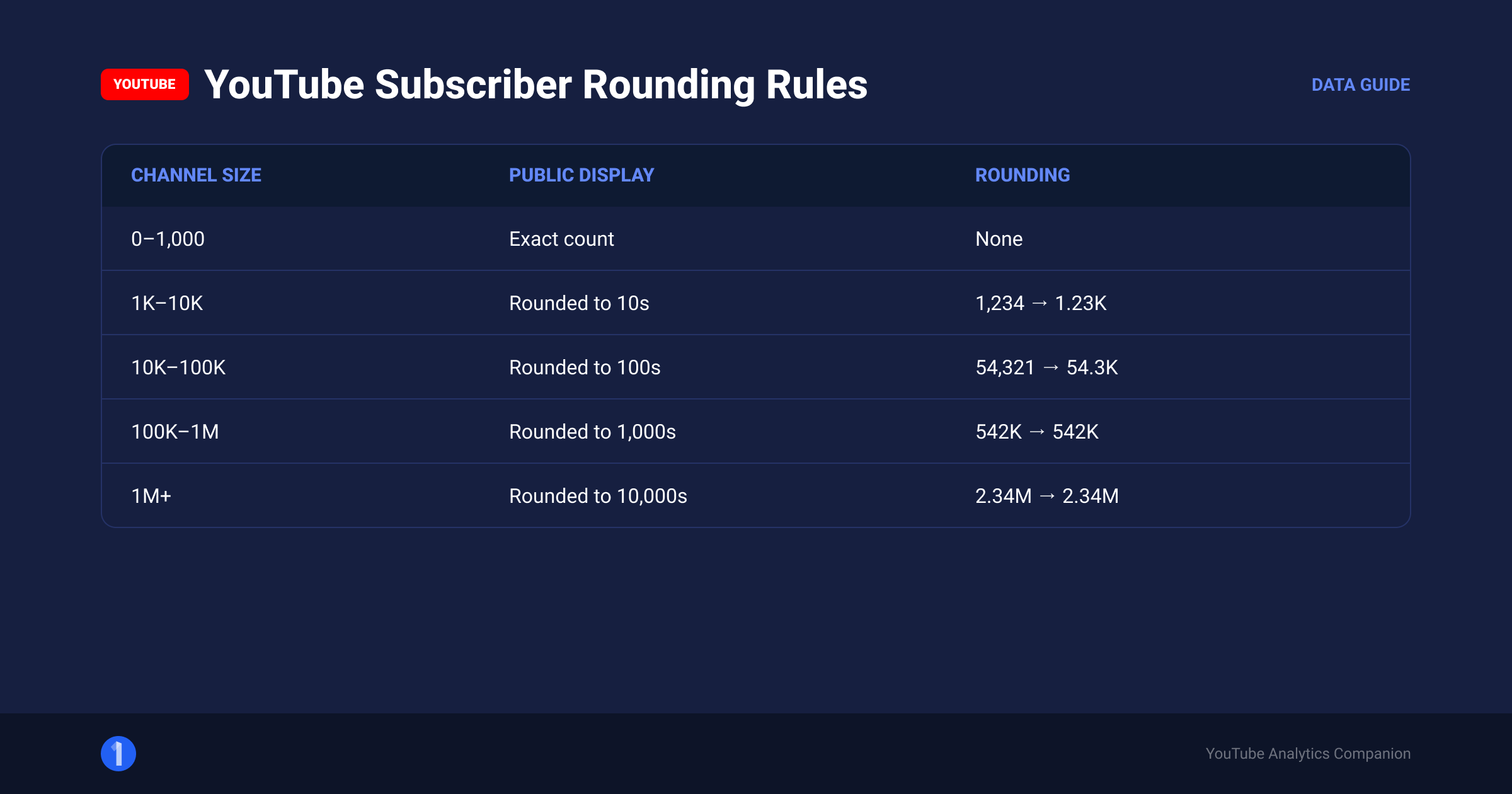
In 2019 YouTube began abbreviating all public subscriber counts. The public number is rounded to 3 significant figures, which produces this behavior:
| Actual subscribers | Public shows | Count moves in steps of |
|---|---|---|
| 0 to 999 | Exact number | 1 |
| 1,000 to 9,990 | e.g. 4.32K | 10 |
| 10,000 to 99,900 | e.g. 45.6K | 100 |
| 100,000 to 999,000 | e.g. 128K | 1,000 |
| 1,000,000+ | e.g. 2.41M | 10,000 |
So a channel at 45,632 subscribers shows 45.6K publicly and will not visibly move until it crosses 45,700. If your public count has not budged in a week but Studio shows steady growth, nothing is broken. You are just between rounding steps.
How to Track Another Channel's Subscriber History
You track YouTube subscribers on other channels through snapshot services. Since YouTube only publishes the current rounded count, tools like Social Blade record that public number every day and chart the snapshots into a history. That gives you growth trajectory for any public channel, going back years, free.
Social Blade: the honest walkthrough
Social Blade is the default YouTube subscriptions tracker for history, and it earns that. Here is exactly how to use it and what to ignore:
- Go to socialblade.com and search the channel name or paste the channel URL.
- Open the detailed statistics page. You get a table of daily subscriber and view changes for the last 30 days, plus charts going back years.
- Read the weekly and monthly deltas, not the dailies. Daily figures on small and mid channels wobble inside the rounding steps from the table above, so a "+100 subs" day often just means the channel crossed a threshold.
- Check future projections for entertainment only. They are straight-line extrapolations and break the moment a channel lands a hit or goes quiet.
- Ignore the estimated earnings range. It is built from generic CPM assumptions and typically spans a 10x range or more. It is not analytics.
What Social Blade genuinely answers: when did this channel inflect, how fast is it growing versus 6 months ago, and did that growth come steadily or in spikes. Spiky subscriber history is the fingerprint of outlier videos, which matters in a moment.
ViewStats
ViewStats, from MrBeast's team, tracks channel-level views and subscribers with one distinctive advantage: it splits long-form views from Shorts views. A channel whose subscriber growth is riding a Shorts wave looks completely different from one growing on long-form, and that difference decides whether their playbook is even relevant to you. It also archives thumbnail history, useful for the packaging analysis covered in our sibling guide below.
How to Read a Subscriber History Chart: 5 Patterns
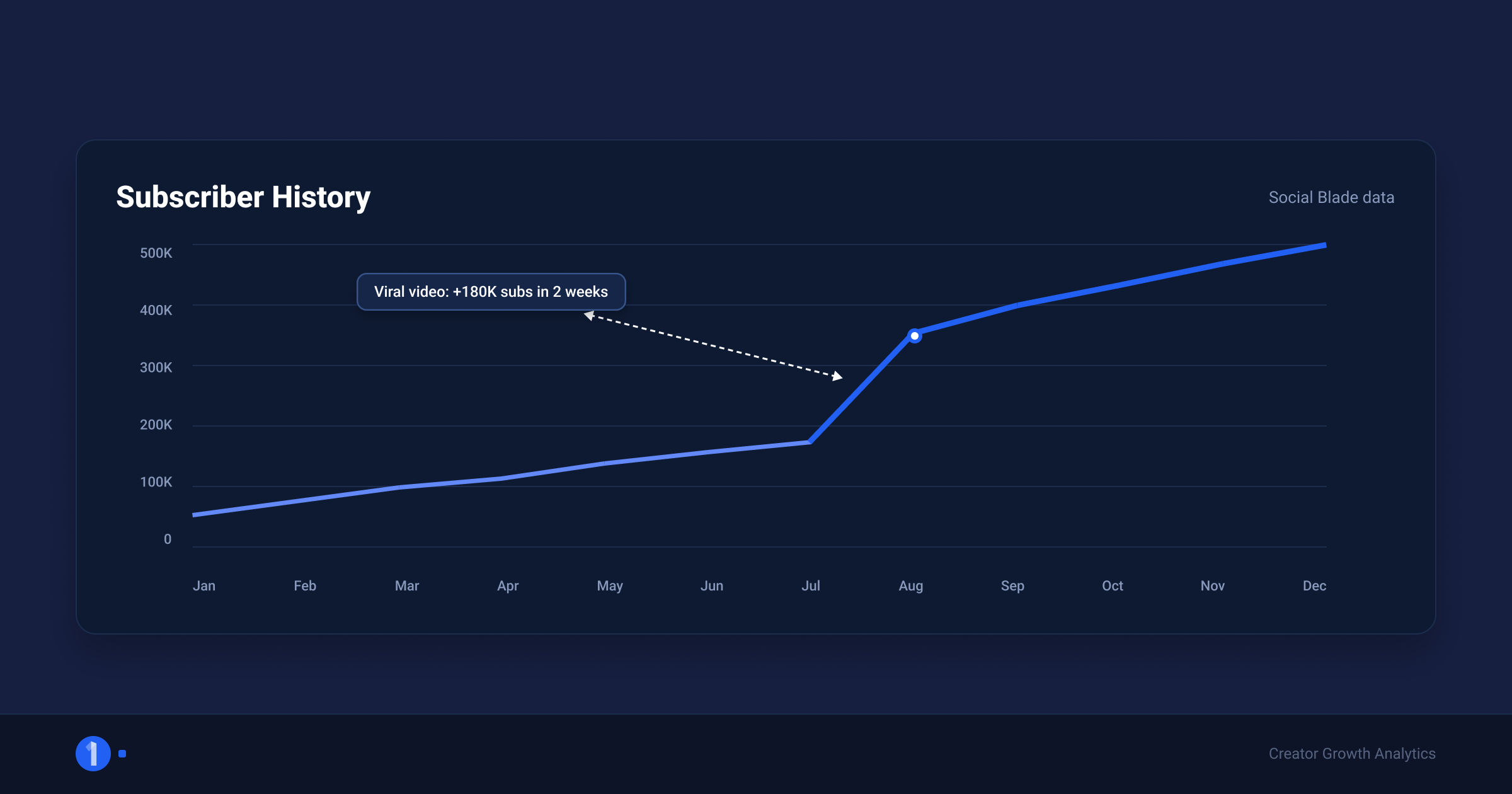
A YouTube subscribers history chart shows one of five shapes: steady compounding, single spike, staircase, plateau, or decline. Each shape maps to a different underlying cause, and identifying the shape tells you what actually happened to the channel before you read a single video title. This is the fastest read in competitor research.
- Steady compounding. A smooth upward curve that steepens over time. This channel has a repeatable system: consistent format, consistent cadence, growing suggested traffic. These are the most dangerous competitors because their growth does not depend on luck. Study their whole catalog, not one video.
- Single spike, then flat. One sharp jump, then a return to the old slope. One video went viral and the channel could not convert the moment into a format. Common, and instructive: find the spike video, note why it worked, and note what the channel failed to do next. You get the lesson without paying their tuition.
- Staircase. Repeated jumps with flat stretches between. This channel has learned to manufacture hits, usually through a recurring series or a repeatable packaging formula. Staircase channels are the best ones to reverse-engineer, because each step is a controlled experiment that worked.
- Plateau. Growth that flattens after a strong run. Usually a format that saturated its audience, a cadence drop, or the niche itself cooling. Check whether their recent videos still clear their channel average. If outlier scores collapsed too, the format died; if outliers continue but subs stalled, the niche's ceiling arrived.
- Decline. Genuine subscriber loss over months. Rare outside of channel controversies and mass spam purges, because inactive subscribers do not unsubscribe. A slow bleed usually means YouTube purging dead accounts faster than the channel converts new viewers.
Run every watchlist candidate through this read once. Thirty seconds per channel, and your folders instantly gain a second dimension: not just who the channel is, but what kind of growth engine they run.
Beyond the YouTube Subscriber Tracker: Why Outliers Beat Sub Counts
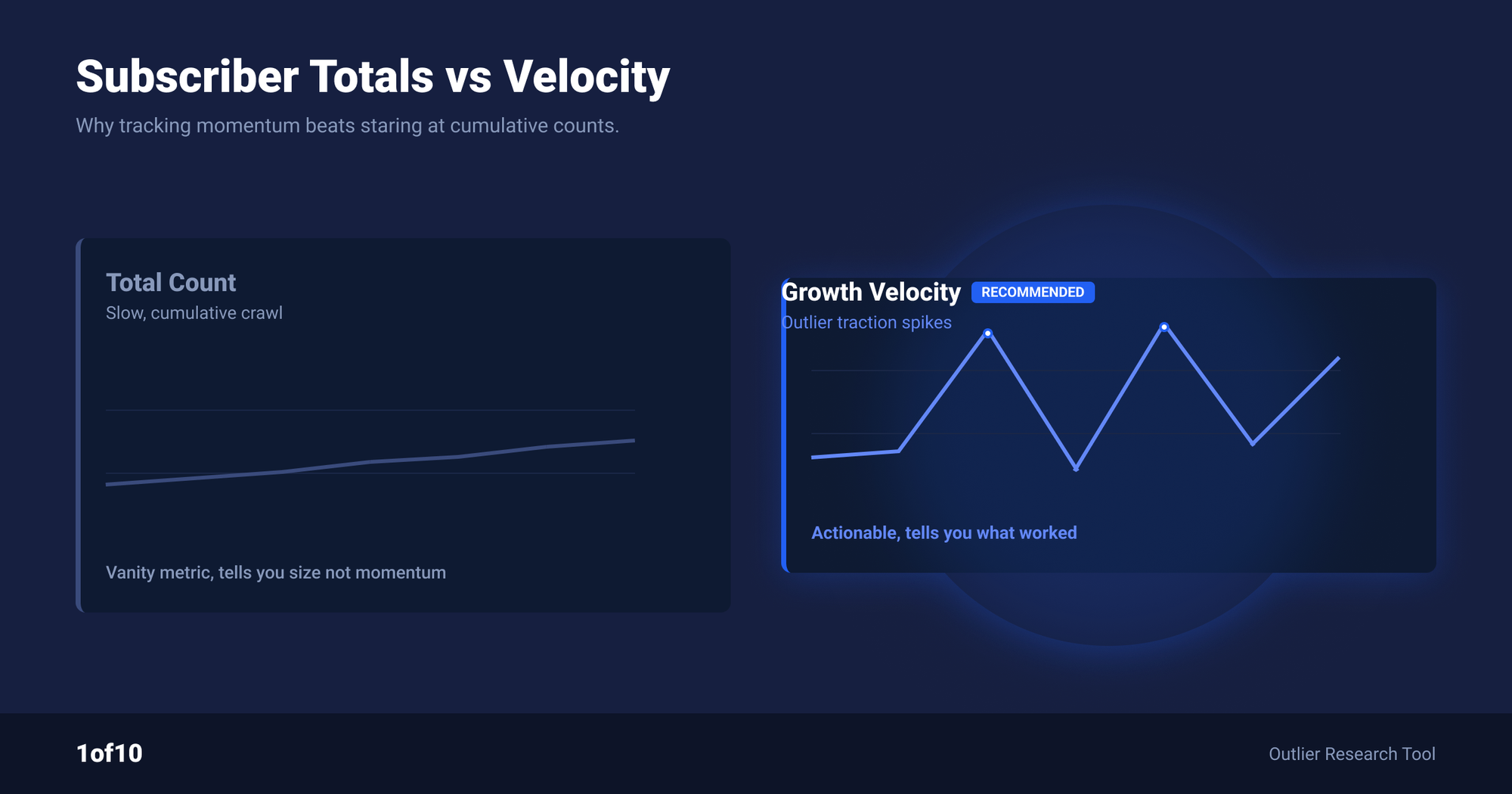
Subscriber counts tell you a channel grew. Outlier tracking tells you it is growing right now, and shows you the exact video responsible. Subs lag, outliers lead. A viral video runs days or weeks before the subscriber curve fully reflects it, and by then the format has often been copied twice. If you track competitors to act on what they do, sub counts alone put you last in line.
Walk through what actually happens when a competitor pops:
- Day 0 to 2: a video starts running above the channel's normal velocity. Nothing visible on any subscriber tracker yet.
- Day 2 to 7: the video goes 10x, 20x, 40x above channel average. Views compound through suggested traffic. Subscriber conversion begins.
- Day 7 to 21: the rounded public sub count finally steps up enough for Social Blade's chart to bend.
- Day 21+: the sub-count spike is now obvious to everyone. Fast creators already shipped their version of the format two weeks ago.
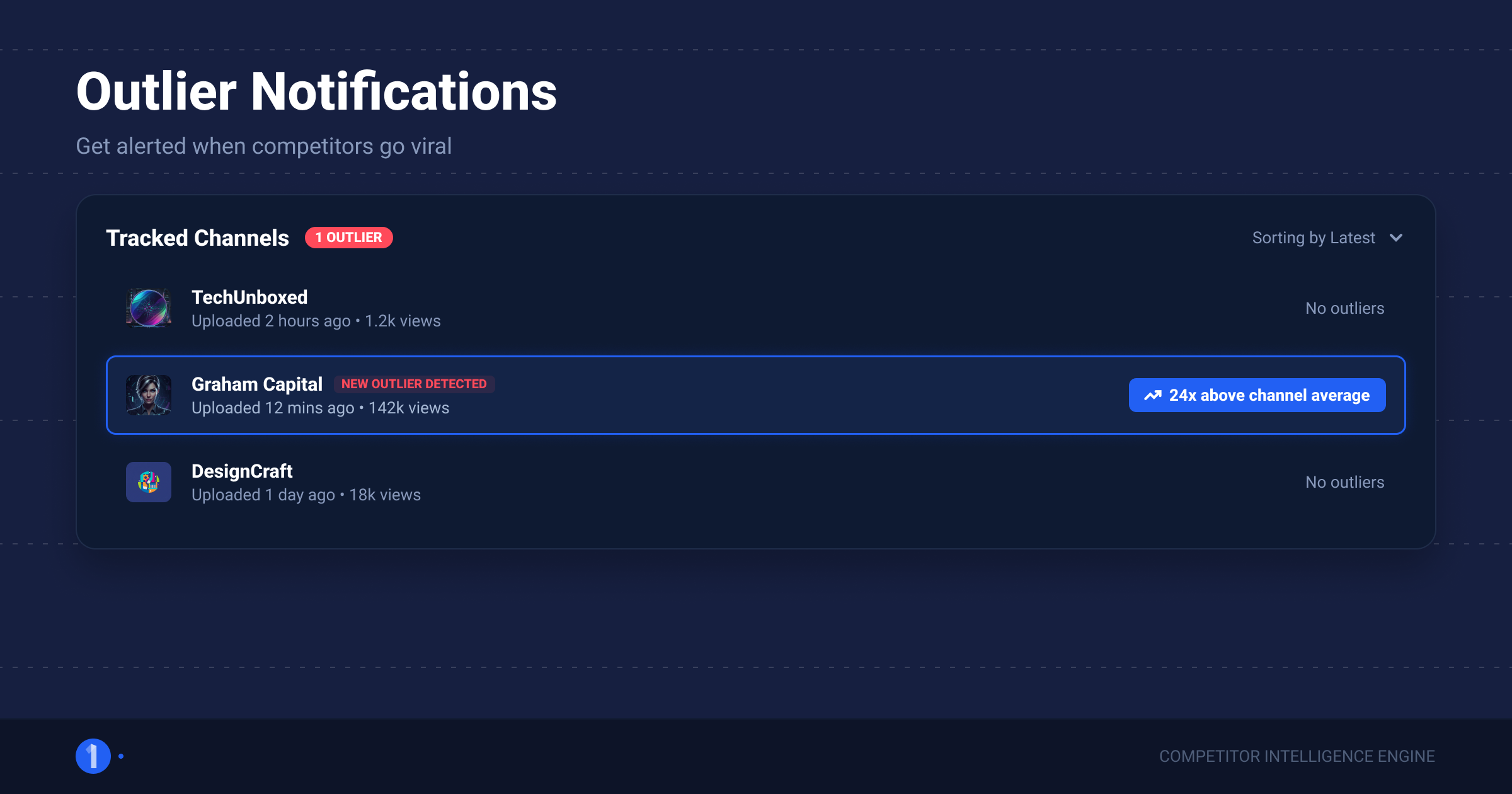
Outlier tracking operates at day 0 to 2. That is the entire argument. 1of10's Tracked Channels monitors the channels you choose and notifies you when one of their videos starts overperforming its channel average, based on outlier score rather than raw views. Small competitor with a 30x video? You hear about it while the trend is still open. The full methodology behind outlier scores is in our guide on seeing another channel's YouTube analytics, the sibling post to this one.
Two features make this workable at scale:
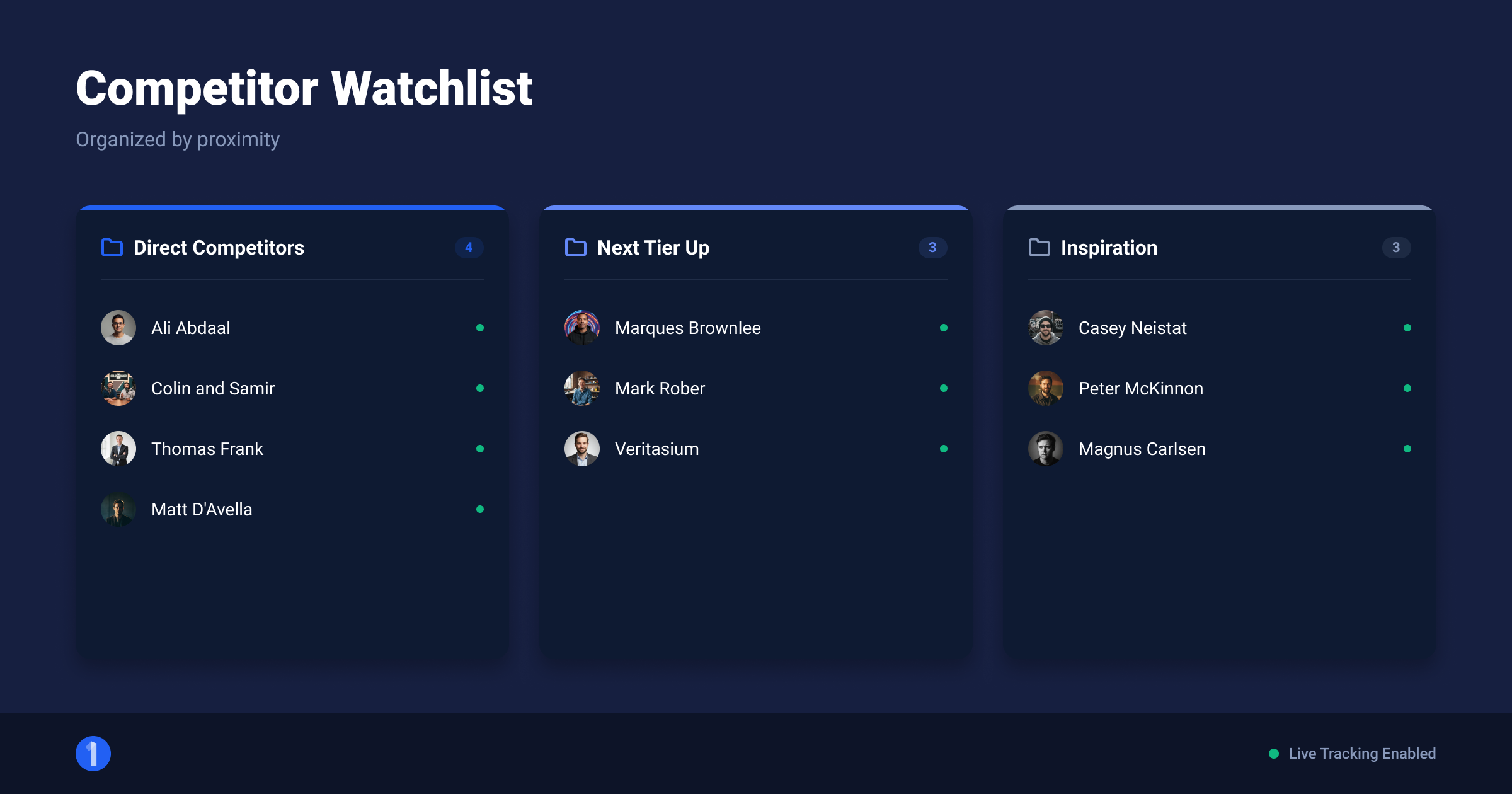
- Folders. Group tracked channels by niche, size band, or "direct competitor vs inspiration source", so a notification arrives with context attached.
- Threshold notifications. You define what counts as a pop. No feed of noise, just the videos that cleared the bar you set.
Competitor tracking is on the free plan; paid plans add full outlier results and more AI credits.
How to Build a Competitor Watchlist in 4 Steps
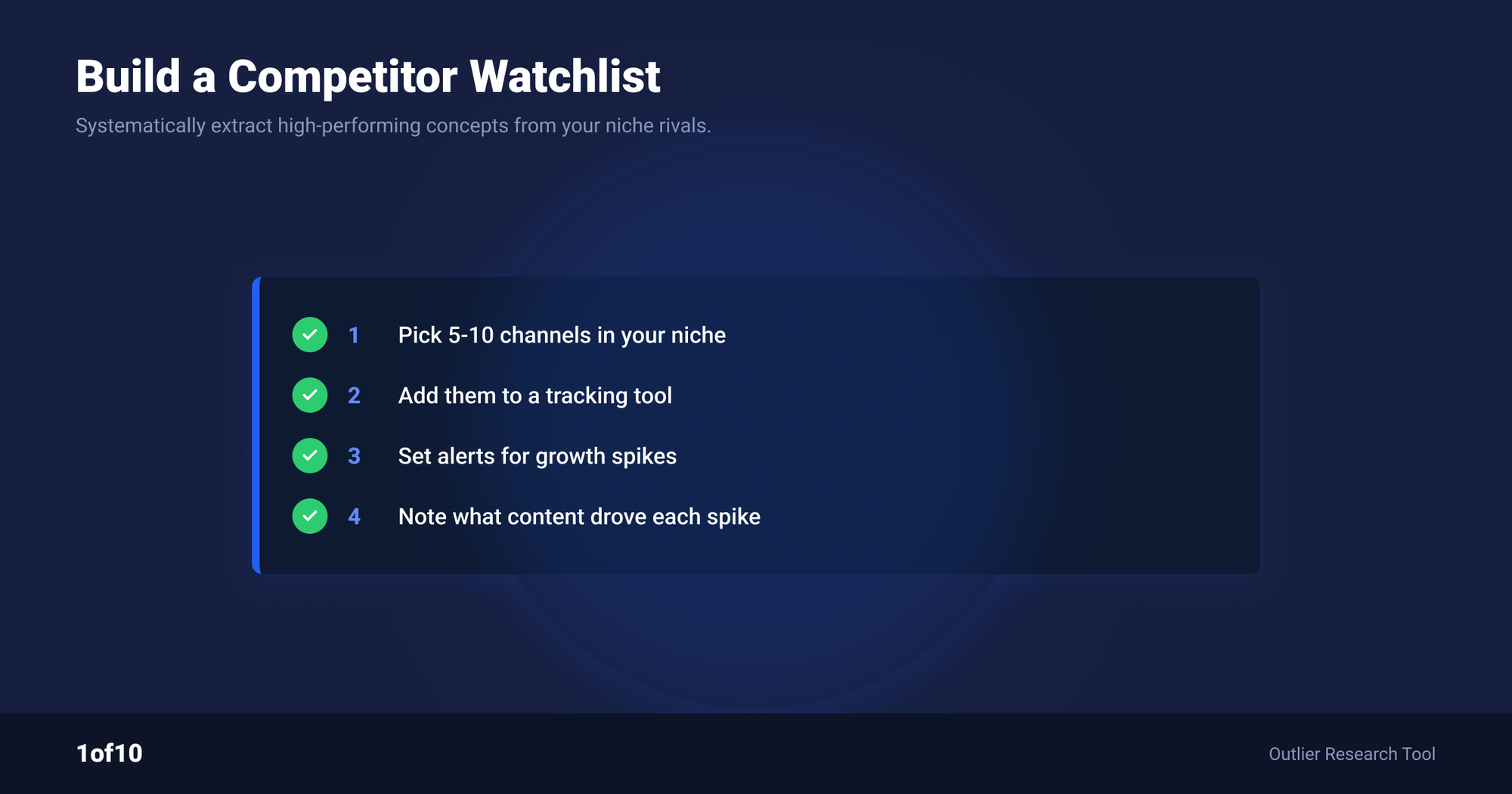
A working watchlist is 10 to 30 channels, foldered by niche, reviewed weekly in about 20 minutes. Fewer than 10 and you miss the niche's pattern; more than 30 and the feed becomes noise you stop reading. Build it once with a channel finder, then let notifications do the daily work.
- Find the channels. Start with the 5 competitors you already know. Then use Niche Explorer as your YouTube channel finder: it surfaces competitor channels inside your topic, including small channels punching above their size that you would never find through search. Aim for a spread: 5 to 10 direct competitors at your size, 5 to 10 channels one tier above you, and 5 aspirational or adjacent-niche channels for format ideas.
- Folder by intent. Create folders like "direct", "next tier", and "format inspiration". When a notification fires, the folder tells you how to respond: direct competitor pops mean compete, inspiration pops mean adapt.
- Set thresholds. For direct competitors, a lower threshold catches everything meaningful. For big inspiration channels, set it higher so only true breakouts surface.
- Review weekly. One 20-minute pass over the outlier feed every week. Bookmark anything worth acting on into a folder using Bookmarks. This single habit replaces the hours of channel-by-channel checking most creators never actually do.
While you are building the list, run each candidate through Social Blade once. A channel with 3 years of flat history and one recent spike is a different watchlist entry than a channel compounding steadily. Track youtube subscribers for the long arc, track outliers for the week-to-week moves.
What to Do When a Tracked Channel Pops
When a notification fires, run a 15-minute analysis before you do anything: identify why the video won, decide whether the cause transfers to your channel, then adapt the format rather than clone the video. Speed matters, but a fast copy of a misread trend wastes a week of production.
The 5-step response:
- Diagnose the win. Was it the topic, the format, or the packaging? Check the title structure, the thumbnail, and the video length against the channel's normal output. An outlier that looks exactly like the channel's other videos means the topic carried it. An outlier that looks different means packaging or format innovation.
- Check velocity, not just the multiple. Open the views-over-time chart in the 1of10 extension. A curve still steepening means the trend window is open. A curve flattening means you are late; act only if the format has long-term value.
- Test the transfer. Does the winning element exist in your niche yet? Search your niche for the format. If nobody has done it, you have first-mover room. If three channels already copied it, you need an angle, not a clone.
- Adapt, never clone. Take the structural element that won (the title formula, the thumbnail composition, the format beat) and rebuild it with your topic and voice. Cloned videos compete with the original in suggested traffic and lose.
- Log the pattern. Bookmark the video and note what won. After 10 to 15 of these, your watchlist stops being a feed and becomes a playbook: a written record of what your niche's audience clicks, faster than any subscriber chart could tell you.
One more habit separates operators from spectators: when a DIRECT competitor pops, also check what they did next. Did they follow up within a week? Did they turn it into a series? The follow-up move often reveals more strategy than the original hit.
Start now: add your top 3 competitors to Tracked Channels on the free plan. The next time one of them lands a breakout, you will know inside days, not after the subscriber chart catches up a month later.
FAQ
How do I track another channel's subscribers?
Use a snapshot service like Social Blade: search the channel and you get daily subscriber history going back years, free. Remember the data is rounded, since YouTube publishes counts to 3 significant figures. For faster intel than subscriber history, track the channel in 1of10, which notifies you when their videos overperform, days before the sub count reflects it.
Why did my subscriber count drop?
Most sudden drops are spam purges. YouTube routinely removes closed and spam accounts, and it deducts them from subscriber counts in batches, so a legitimate channel can drop dozens or hundreds of subscribers overnight without losing a single real viewer. Check YouTube Studio: purge-driven drops appear as "removed spam" in your audience data. Gradual declines are different and usually track content changes.
Can I see exactly how many subscribers another channel has?
No. Since 2019, YouTube shows public subscriber counts rounded to 3 significant figures, so a channel at 45,632 displays as 45.6K everywhere, including to trackers and live count sites. Only the channel owner sees the exact figure in YouTube Studio. Any site claiming exact live counts for other channels is estimating between rounding steps.
What is the best free YouTube subscriber tracker?
For your own channel, YouTube Studio: exact, real time, free. For other channels' history, Social Blade: free daily snapshots going back years. For catching competitor growth before it shows in subscriber counts, 1of10's free plan tracks competitor channels with outlier notifications. Most serious creators run all three, since they answer different questions.
How often should I check my tracked channels?
Once a week is enough when notifications handle the urgent cases. Set outlier thresholds on your tracked channels so genuine breakouts reach you the same day, then do one 20-minute weekly review of the full feed for patterns. Daily manual checking burns time on noise, since most days no channel in a 10 to 30 channel watchlist does anything unusual.
Related: How to See Your Followers on YouTube (Who Subscribed)